EdX QR code generator for course sharing and enrollment

Bridge the gap between discovery and enrollment by turning EdX course links into scannable codes for instant access.
How EdX educators share courses with QR codes
Typing long course URLs during a presentation can often hault momentum. Students can often fumble with their phones, trying to spell out complex EdX links while the instructor moves on to the next slide. By the time they find the course page, half the class has lost interest and the enrollment opportunity has passed. Luckily, there's a better way!
EdX QR codes can solve many issues by converting course URLs into scannable squares that students can access instantly. Whether you're sharing a specific course, a MicroMasters program, or an entire university catalog, QR codes let learners jump directly to enrollment pages without typing or searching.
In this guide I will go over how to create QR codes for EdX courses, from individual class links to program collections. I'll also cover placement strategies that maximize scan rates and different QR code types that work best for educational content sharing. So let's get to class!
Real-world applications for EdX QR codes
Educational institutions and instructors use EdX QR codes to remove barriers between course discovery and enrollment. These codes work particularly well when students need quick access to supplementary learning or professional development opportunities. Event organizers often combine EdX QR codes with conference materials to offer continuing education credits.
Conference workshop follow-ups
Speakers include QR codes on final slides linking to related EdX courses that expand on presentation topics, giving attendees a clear next step for deeper learning.
Library study guide supplements
Academic libraries add QR codes to research guides that connect students to relevant EdX courses for additional context on complex topics like data science or digital humanities.
Corporate training pathways
HR departments use QR codes in employee handbooks to link staff to specific EdX professional development courses that align with career advancement goals.
Student advisor consultations
Academic advisors share QR codes during meetings that take students directly to EdX courses that fill knowledge gaps or satisfy prerequisite requirements for their degree programs.
Building your EdX course QR code
Creating QR codes for EdX courses takes just a few minutes and works with any course URL from the platform.
Access the QR generator
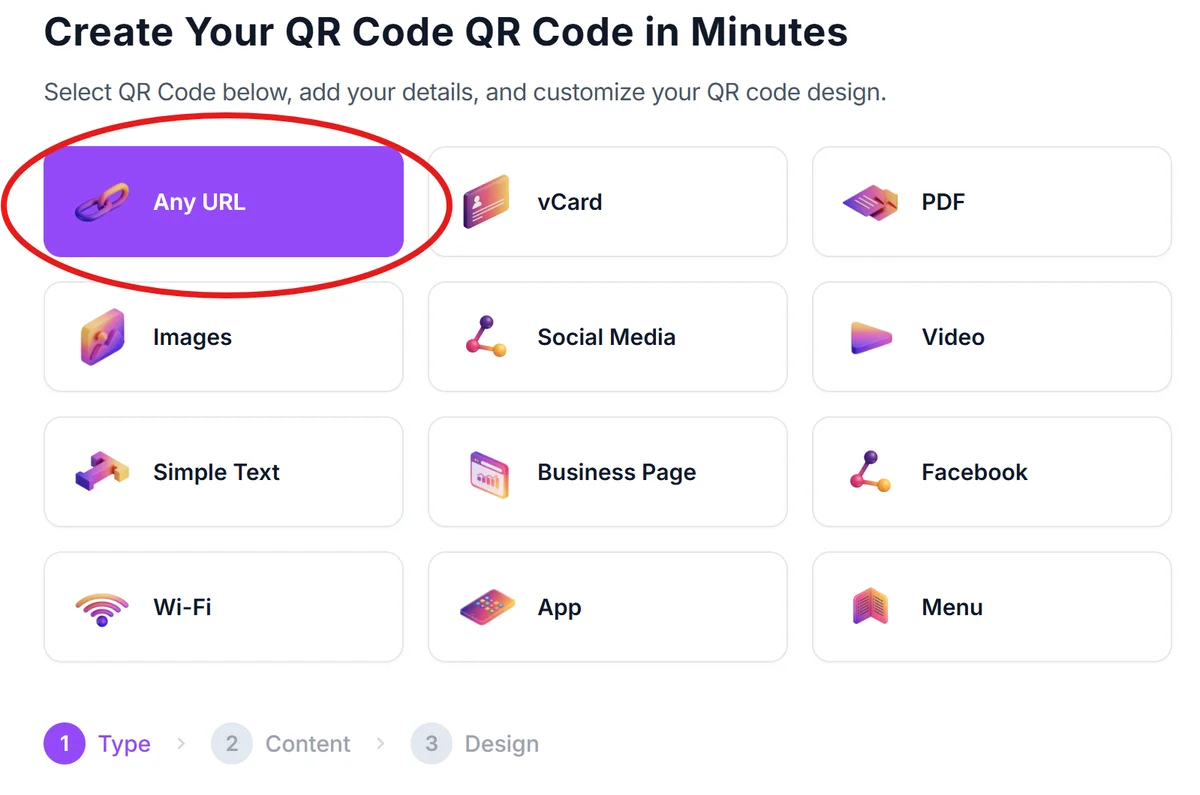
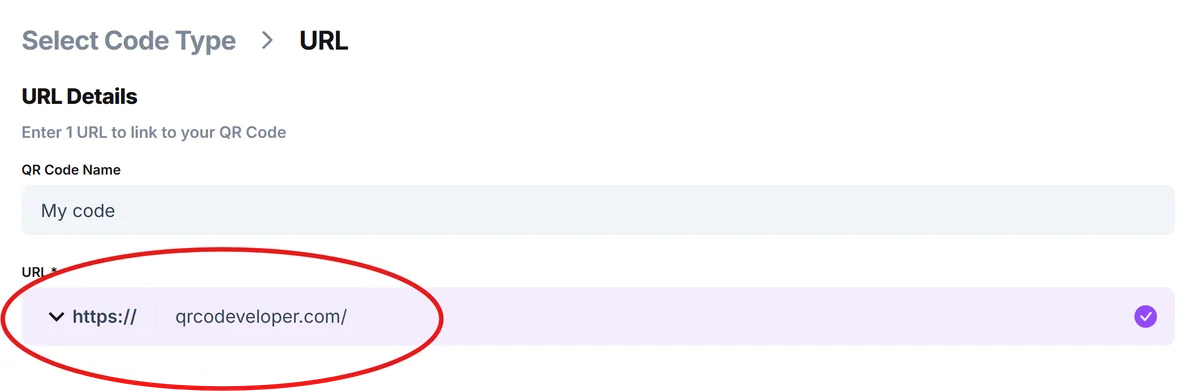
Open qrcodeveloper.com and select URL as your QR code type since EdX courses use web links for enrollment and access.
Copy your EdX course link
Navigate to the specific EdX course page you want to share and copy the full URL from your browser's address bar. Make sure you're linking to the main course page rather than a specific lesson or module.
Customize for educational context
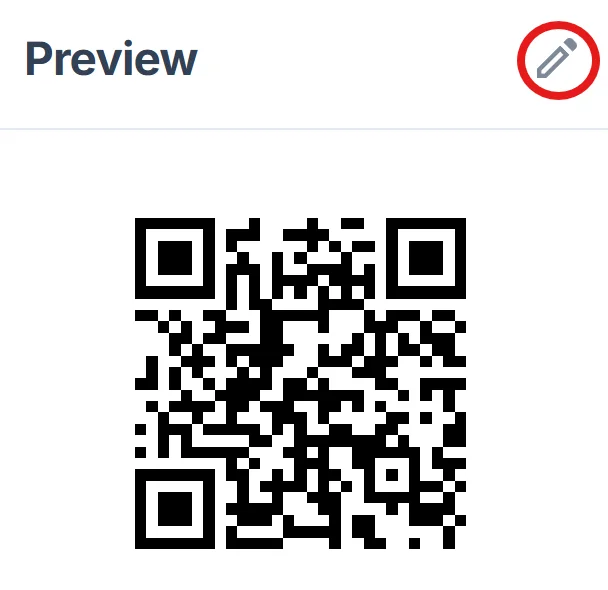
Click on the pencil icon in the Preview window to further customize your code. Add your institution's colors or EdX branding to help students recognize the source. Include a clear call-to-action frame like 'Scan for Course Info' or 'Enroll Now' to set expectations, following QR code design best practices.
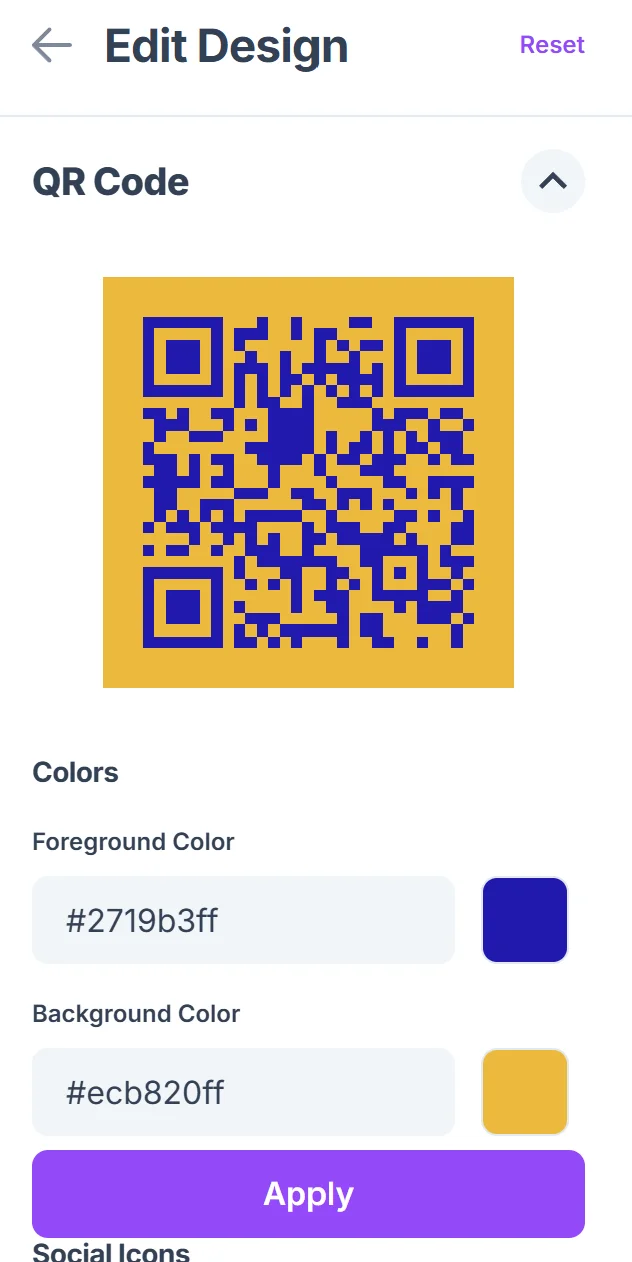
Test across student devices
Scan your QR code with different smartphones to ensure it loads quickly and displays properly on various screen sizes, since students use diverse devices for learning.
Prepare for offline sharing
Download high-resolution versions for both print materials and digital displays, ensuring the code remains scannable whether printed on handouts or projected on screens.
Maximizing enrollment through smart QR placement
Strategic placement and clear context help students understand what they'll find when they scan your EdX QR codes.
Include course duration and difficulty level near QR codes so students know the time commitment before scanning
Place codes at natural decision points like the end of related lectures or in course catalogs where students are already thinking about next steps
Add instructor credentials or university affiliations to build trust, especially for professional development courses that impact career advancement
Create separate QR codes for course previews versus direct enrollment links, allowing students to explore before committing to paid programs
Frequently Asked Questions
Can I create QR codes for EdX MicroMasters programs?
Yes, QR codes work with any EdX URL including individual courses, MicroMasters programs, and professional education certificates. Just use the program's main landing page URL.
Do EdX QR codes work with both free and paid courses?
QR codes work with all EdX content types. Students will see the course page with pricing information clearly displayed, allowing them to choose between audit tracks and verified certificates.
How can I track which QR codes drive the most enrollments?
Use different QR codes for different placement locations and track scans through QR code analytics. You can also create custom landing pages that redirect to EdX courses for more detailed tracking.
What's the best size for EdX QR codes on printed materials?
Aim for at least 1 inch square on printed materials. For conference posters or classroom displays, 2-3 inches works better since students may be scanning from several feet away.
Are there any restrictions on using QR codes with EdX content?
No special restrictions exist for QR codes linking to EdX courses. You're simply providing an easier way to access publicly available course pages that EdX already makes shareable.
Related Guides
Ready to create your QR code?
Generate custom QR codes in seconds - free and easy to use.
Create Free QR Code →