Digital business card storage QR codes for contact management

Store your complete business card information in a single QR code that works across all devices and platforms.
How QR codes transform business card storage
As remote work and hybrid networking events become the norm, professionals are increasingly ditching traditional paper business cards in favor of contactless sharing methods. Digital business card storage QR codes have emerged as the preferred solution, allowing instant contact exchange through a simple smartphone scan without the hassle of physical cards that get lost or forgotten. For networking events specifically, you can also create event QR codes to streamline attendee registration and information sharing.
A digital business card storage QR code contains all your professional contact details - name, phone number, email, company, title, website, and social media links - in a single scannable code. When someone scans your QR code, their phone automatically opens the contact information and offers to save it directly to their address book. No typing required, no lost cards, no outdated information.
This approach bridges the gap between traditional networking and modern digital workflows. Our QR Code Developer platform makes it simple to create these digital business cards and update them whenever your information changes, ensuring your professional network always has your current details.
Professional applications for digital business card storage
Digital business card QR codes work across countless professional scenarios where traditional paper cards fall short. They're particularly valuable for people who frequently update their contact information or work in fast-paced networking environments. Learn more about professional contact information QR codes for various business applications.
Conference and trade show networking
Display your QR code on name badges or booth materials so attendees can instantly save your contact information without handling physical cards that might get lost in the shuffle.
Real estate agent property showings
Include your digital business card QR code on property flyers and yard signs, allowing potential clients to save your information while they're still interested in the property. Learn more about adding QR codes to your flyers for maximum impact.
Freelancer portfolio presentations
Add your QR code to project presentations, proposals, or portfolio websites so potential clients can immediately access your contact details when they're ready to hire. You can even turn your PDF portfolio into a QR code for easy sharing.
Sales representative client meetings
Share your digital business card during video calls or in-person meetings, ensuring clients have your updated contact information even when you can't hand them a physical card.
Setting up your digital business card QR code
Creating a digital business card QR code takes just a few minutes and gives you a professional networking tool that works everywhere smartphones do.
Access the contact card generator
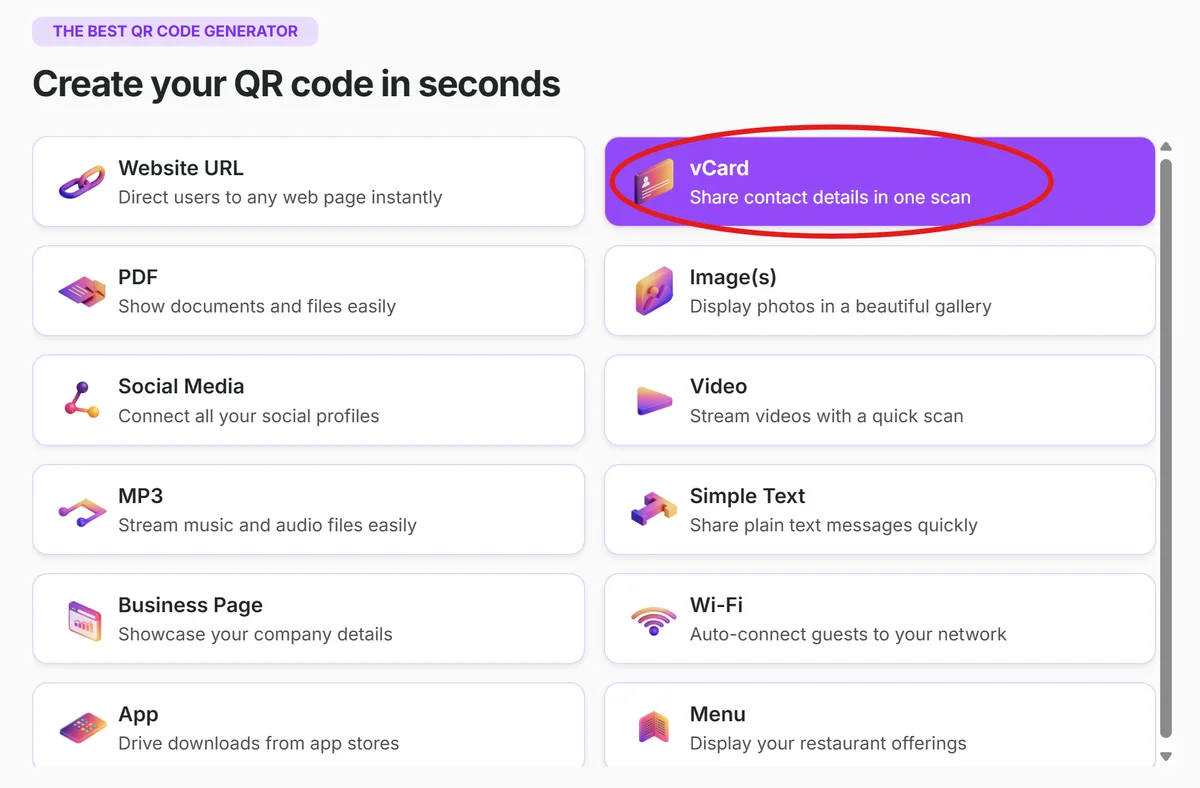
Visit qrcodeveloper.com and select the vCard or contact information option from the QR code type menu.
Input your professional details
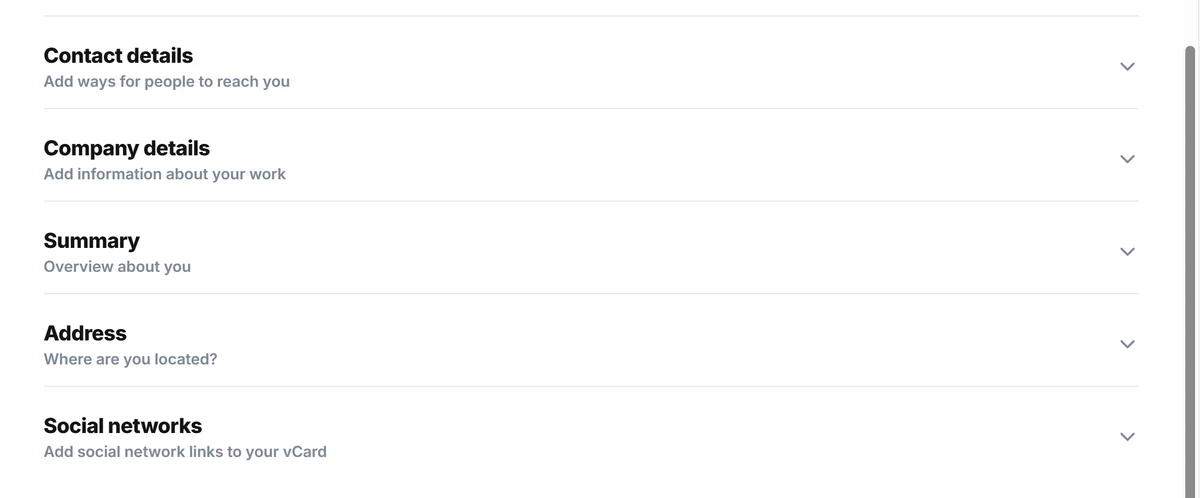
Fill in your complete contact information including full name, job title, company name, phone number, email address, website URL, and any relevant social media profiles.
Customize the visual design
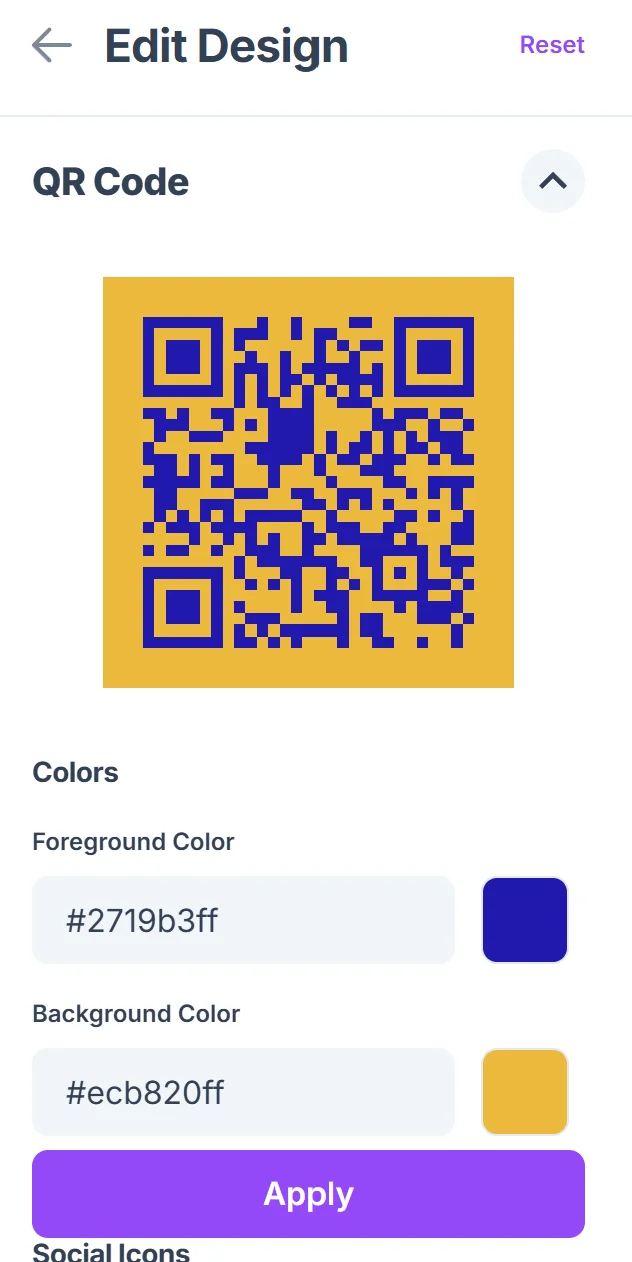
Click on the pencil icon in the Preview window to further customize your code. Choose colors that match your brand or company style guide, add your logo if desired, and select a frame style that fits your professional image.

Test across multiple devices
Scan your QR code with different smartphones to ensure the contact information displays correctly and the save-to-contacts function works smoothly on both iOS and Android.
Deploy across your marketing materials
Add your digital business card QR code to email signatures, business presentations, website contact pages, and any printed materials where people might want to save your information. Consider creating QR code stickers for easy placement on various marketing materials.
Maximizing your digital business card effectiveness
These best practices help ensure your digital business card QR code creates the best possible first impression and actually gets used by your professional contacts.
Keep your contact information current and comprehensive - include all the ways people might want to reach you, but prioritize the most important contact methods at the top of your vCard
Choose a QR code design that reflects your professional brand while maintaining high contrast for easy scanning in various lighting conditions and print qualities
Include a brief instruction near your QR code like 'Scan to save my contact info' since not everyone immediately understands what QR codes do in professional contexts
Use dynamic QR codes when possible so you can update your contact information without reprinting business cards, brochures, or other materials where the code appears
Frequently Asked Questions
What information can I store in a digital business card QR code?
You can include name, job title, company, phone numbers, email addresses, website URL, physical address, and links to social media profiles. The vCard format supports comprehensive contact information.
Do people need a special app to scan my business card QR code?
No, modern smartphones have built-in QR code scanning through their camera apps. When someone scans your code, their phone will automatically recognize it as contact information and offer to save it.
Can I update my digital business card information after creating the QR code?
With dynamic QR codes, yes - you can update your contact information anytime without changing the QR code itself. Static QR codes contain fixed information that cannot be changed.
Will my digital business card work on both iPhone and Android phones?
Yes, the vCard format is universally supported. Both iOS and Android devices can scan your QR code and save the contact information to their native address book apps.
Is there a limit to how much contact information I can include?
While QR codes can technically hold substantial data, it's best to include only essential professional contact information to keep the code simple and ensure reliable scanning across all devices.
Related Guides
Ready to create your QR code?
Generate custom QR codes in seconds - free and easy to use.
Create Free QR Code →