QR codes for contact forms - instant access to business inquiries

Connect customers to your contact forms instantly with scannable codes that eliminate typing barriers and boost inquiry rates.
Why contact form QR codes boost customer inquiries
Most potential customers abandon contact attempts when faced with lengthy URLs or complicated contact processes. A single QR code scan can eliminate this friction entirely, taking prospects directly to your contact form without any typing or searching required.
Contact form QR codes work by encoding your form's URL into a scannable square. When someone points their smartphone camera at the code, they're instantly taken to your contact page where they can submit inquiries, request quotes, or schedule appointments. The entire process takes seconds instead of minutes.
I'll walk you through creating effective contact form QR codes that actually get scanned and convert visitors into leads. You'll also discover how to place these codes strategically and track their performance using QR Code Developer's analytics features.
Smart ways businesses use contact form QR codes
Contact form QR codes solve the universal problem of making it easy for customers to reach you. Whether you're networking at events or advertising in print, these codes create a direct path to customer communication. Learn more about creating effective QR code business cards that incorporate contact forms.
Real estate agent property signs
Agents place QR codes on property signs that link to inquiry forms pre-filled with the property address, making it simple for interested buyers to request showings or information.
Service business vehicle wraps
Contractors and service providers add QR codes to their work vehicles that connect to quote request forms, turning every job site into a marketing opportunity.
Restaurant feedback collection
Restaurants place QR codes on tables and receipts linking to feedback forms, making it easy for diners to share reviews or report issues while their experience is fresh. Many establishments also use QR code menus alongside their contact forms for a complete digital experience.
Event vendor booths
Trade show exhibitors use QR codes on banners and handouts that lead to lead capture forms, allowing them to collect prospect information even when booth staff are busy with other visitors.
Building your contact form QR code in minutes
Creating a contact form QR code requires your form to be accessible via a direct URL. Most contact form tools provide this automatically.
Locate your contact form URL
Find the direct link to your contact form. This might be yourwebsite.com/contact, a Google Form link, or a URL from your form builder. Visit qrcodeveloper.com to get started with your QR code.
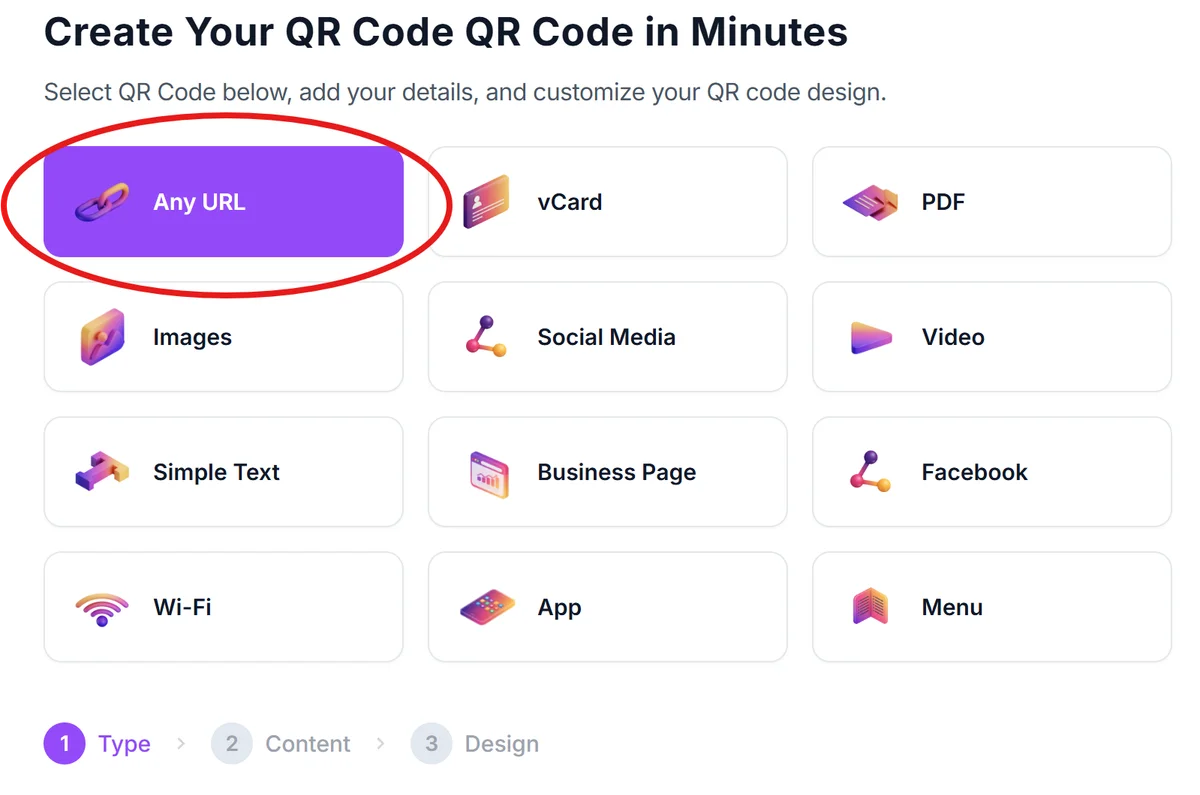
Input your form destination
Copy your contact form URL and paste it into the QR code generator. Make sure the link works by testing it in a new browser tab before proceeding.
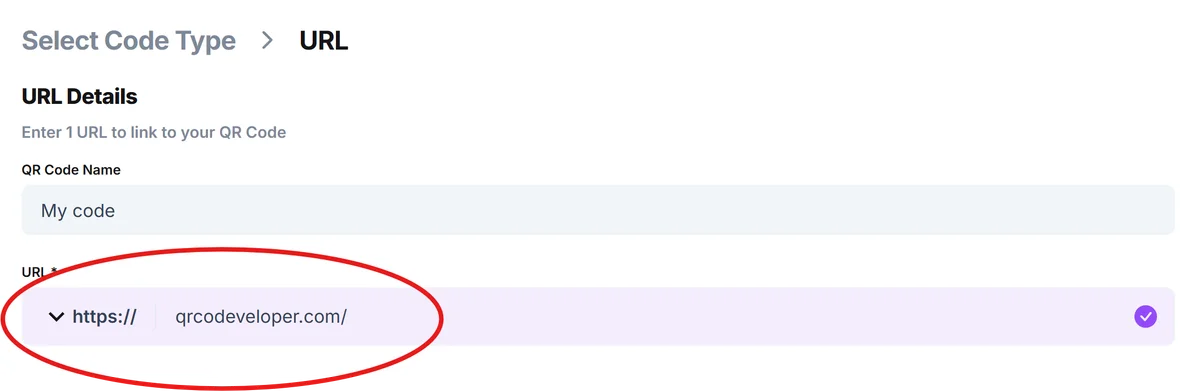
Brand your QR code design
Customize the QR code with your brand colors and add your logo to the center. This helps people recognize it's from your business and increases scan confidence.
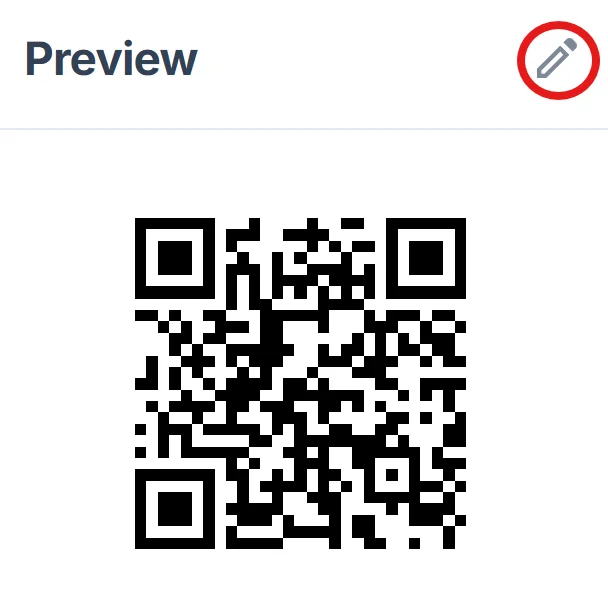
Verify mobile compatibility
Test the QR code on multiple devices to ensure your contact form displays properly on smartphones. Check that form fields are easy to tap and fill out on mobile screens.
Deploy across marketing materials
Add your contact form QR code to business cards, flyers, signage, and digital materials. Include a brief call-to-action like 'Scan to contact us' or 'Get a quote' near the code.
Best practices for contact form QR code success
The difference between QR codes that get ignored and ones that drive real inquiries often comes down to strategic placement and clear messaging.
Place QR codes at eye level and ensure they're large enough to scan from arm's length - typically at least 1 inch square for close viewing or larger for signs viewed from a distance. For more detailed guidance, check out our QR code design tips to maximize scan rates.
Add clear instructions like 'Scan for instant quote' or 'Quick contact form' so people understand what happens when they scan your code
Test your contact form's mobile experience thoroughly - ensure fields are properly sized, dropdown menus work smoothly, and the submit button is easily tappable
Use dynamic QR codes when possible so you can update your contact form URL without reprinting materials, and track scan analytics to measure performance across different placements
Frequently Asked Questions
Can I use QR codes with any contact form platform?
Yes, as long as your contact form has a direct URL, you can create a QR code for it. This works with Google Forms, Typeform, Wufoo, embedded website forms, and most other form builders.
How do I track how many people scan my contact form QR code?
Use dynamic QR codes which provide scan analytics including total scans, scan locations, and device types. You can also add UTM parameters to your form URL to track visits in Google Analytics.
What size should my contact form QR code be for different materials?
For business cards, use at least 0.8 inches square. For flyers and handouts, 1-2 inches works well. For signs or banners viewed from several feet away, make them 3+ inches square for easy scanning.
Will QR codes work if my contact form requires a login?
QR codes will take users to login pages, but this creates friction that reduces conversions. It's better to use public contact forms that don't require authentication for the best user experience.
Can I customize what information appears in my contact form when people scan?
Many form builders allow you to pre-populate fields using URL parameters. For example, you could create different QR codes that automatically fill in the 'How did you hear about us?' field with 'Business card' or 'Trade show booth'.
Related Guides
Ready to create your QR code?
Generate custom QR codes in seconds - free and easy to use.
Create Free QR Code →