QR codes for Clubhouse rooms and profile sharing

Convert Clubhouse room links into scannable QR codes that connect audiences to your live audio conversations instantly.
Connecting audio conversations through QR codes
What if you could instantly connect people to your Clubhouse rooms without them having to search through the app or remember complex usernames? Audio-first social platforms like Clubhouse have created new challenges for content discovery and real-time engagement, especially when you're trying to direct people from offline spaces to live conversations. Luckily, smart QR code usage can help creators.
A Clubhouse QR code bridges this gap by encoding your room links, profile URLs, or event invitations into a scannable format. When someone scans the code with their phone, they're taken directly to your Clubhouse content - whether that's joining an active room, following your profile, or accessing a scheduled event. This eliminates the friction of manual searches and makes it easier for people to find and join your audio conversations, similar to how Discord QR codes connect users to voice channels and communities.
In this guide I'll show you how to create these QR codes and explore the different ways they can help you grow your Clubhouse presence. You can also check out our guide on event QR codes for broader promotional strategies that work across multiple platforms. So let's get started!
Practical ways to share Clubhouse content
Clubhouse QR codes solve the problem of connecting offline audiences to live audio experiences. Whether you're promoting scheduled talks or building your follower base, these codes make it simple for people to join your conversations. Learn more about QR code business cards to integrate Clubhouse promotion into your networking materials.
Conference and event promotion
Add QR codes to conference badges, speaker slides, or event programs to direct attendees to related Clubhouse discussions happening during or after sessions.
Business card networking
Include a QR code on your business cards that leads to your Clubhouse profile, making it easy for new contacts to follow you and join your regular discussions. This approach works well alongside other contact information QR codes for comprehensive networking.
Social media cross-promotion
Share QR codes in Instagram stories, Twitter posts, or LinkedIn updates to drive your existing followers to live Clubhouse rooms or scheduled events. You can also create Instagram QR codes to cross-promote between platforms effectively.
Educational workshops and seminars
Educators and trainers can use QR codes on handouts or presentation slides to connect students to follow-up discussions or Q&A sessions on Clubhouse.
Creating your Clubhouse QR code
Building a QR code for your Clubhouse content takes just a few minutes and can significantly improve how people discover and join your audio conversations.
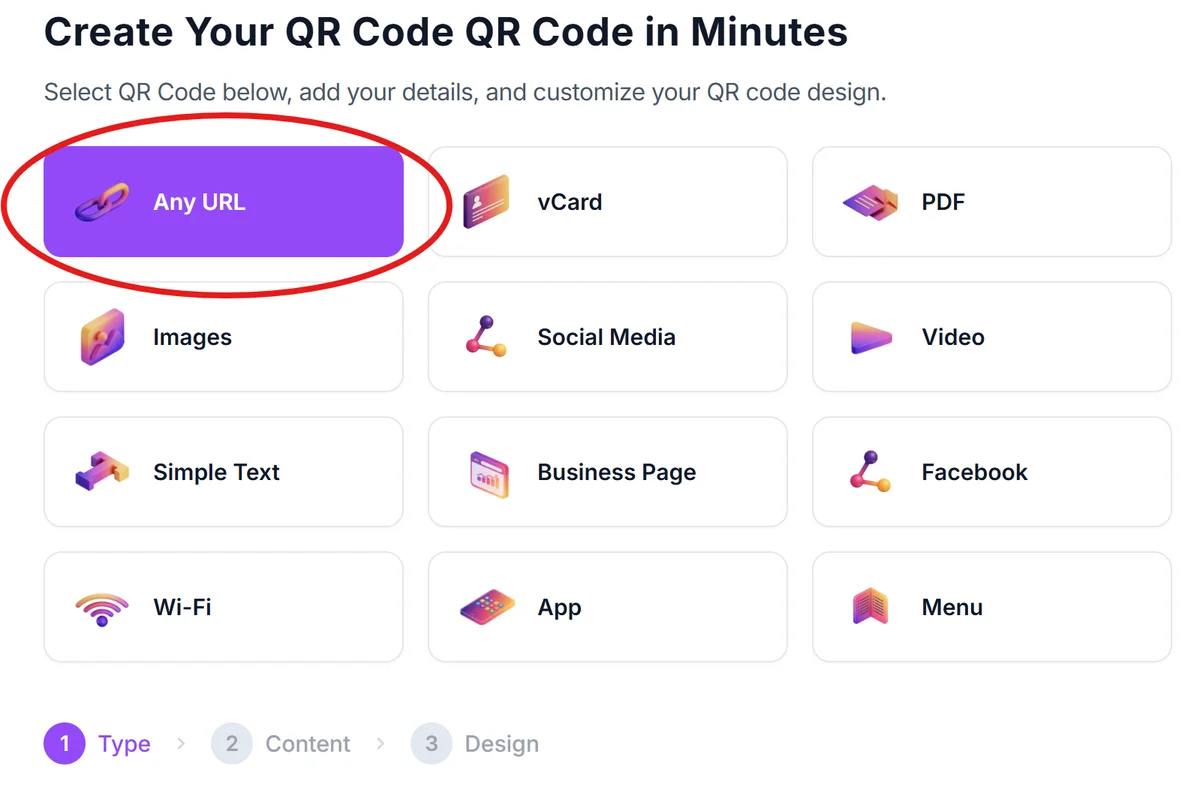
Visit the QR code generator
Go to qrcodeveloper.com and select the URL option since Clubhouse links are web-based URLs that redirect to the app.
Copy your Clubhouse link
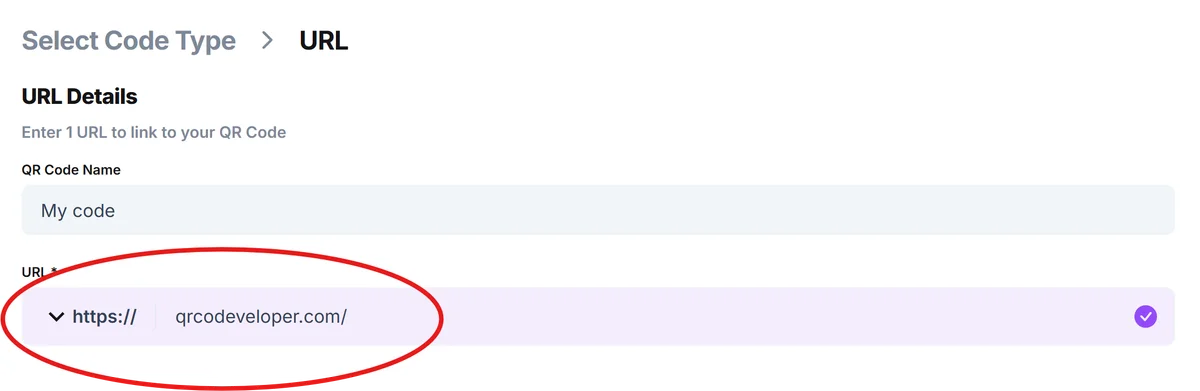
From the Clubhouse app, copy the share link for your profile, room, or event. These links typically start with 'https://www.clubhouse.com/' followed by your specific content identifier. Then, paste the link into the URL bar in QR Code Developer.
Customize for audio branding
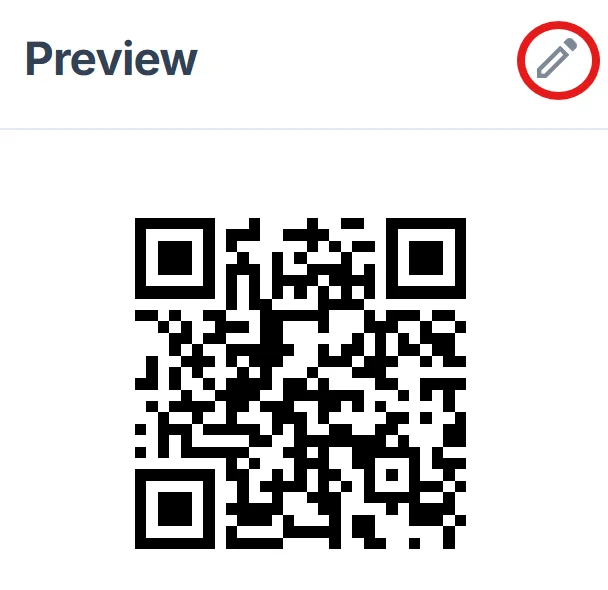
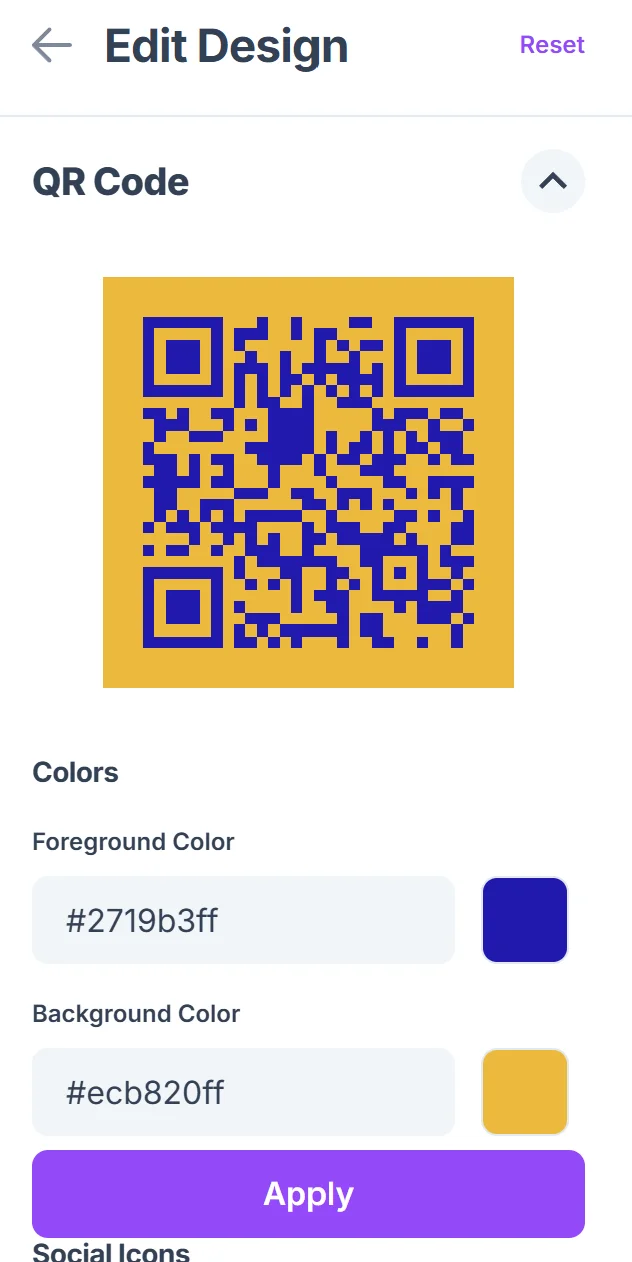
Click on the pencil icon in the Preview window to further customize your code. Choose colors that match your personal brand or the theme of your Clubhouse discussions. Consider using audio-related imagery or your profile colors to make the QR code recognizable. For more customization ideas, check out our QR code design tips guide.
Test across different devices
Before sharing widely, test your QR code on both iOS and Android devices to ensure it properly redirects to the Clubhouse app or prompts users to install it if they don't have it.
Add clear context around the code
Always include text near your QR code explaining what people will find when they scan it - whether it's your profile, a live room, or a scheduled event with specific timing.
Maximizing engagement with audio QR codes
Getting the most from your Clubhouse QR codes requires understanding both the platform's unique features and how people interact with audio content.
Time your QR code sharing strategically - promote room codes just before going live, and profile codes during your most active discussion periods when new followers are likely to see immediate value
Create different QR codes for different types of content - use separate codes for your main profile, recurring show schedules, and one-time special events to track what drives the most engagement. Understanding the different types of QR codes available can help you choose the best format for each use case.
Include clear timing information when sharing room codes, since Clubhouse conversations happen in real-time and people need to know when to join
Consider the offline-to-online journey - people scanning physical QR codes might not have the Clubhouse app installed, so mention this possibility in your promotional materials
Frequently Asked Questions
Can I create QR codes for scheduled Clubhouse events?
Yes, you can create QR codes for any Clubhouse link, including scheduled events. Just copy the event's share link and use it to generate your QR code.
What happens if someone scans my Clubhouse QR code but doesn't have the app?
The link will typically redirect them to the app store to download Clubhouse, then take them to your content once they've installed and set up their account.
Can I track how many people join my Clubhouse rooms through QR codes?
While QR code generators can track scans, Clubhouse doesn't provide detailed analytics about how people found your rooms. You'll see scan data but not direct conversion to room joins.
Do Clubhouse QR codes work on all devices?
Yes, QR codes work on any device with a camera and QR scanning capability. However, users will need to have Clubhouse installed or be willing to download it to access your content.
Are there any costs associated with creating Clubhouse QR codes?
Basic QR code generation is free. You only pay if you need advanced features like detailed analytics, custom designs, or the ability to edit the destination URL after creation.
Related Guides
Ready to create your QR code?
Generate custom QR codes in seconds - free and easy to use.
Create Free QR Code →