QR code generator for Amazon product links and storefronts

Drive traffic to your Amazon listings from packaging, business cards, and marketing materials with scannable product links.
Amazon QR codes for instant product access
Over 310 million active customer accounts use Amazon worldwide, making it the largest e-commerce platform globally according to Statista. For many, Amazon is not just a market place, its the marketplace. Yet many sellers struggle with the the gap between offline marketing and online sales, losing potential customers who can't easily access their product pages.
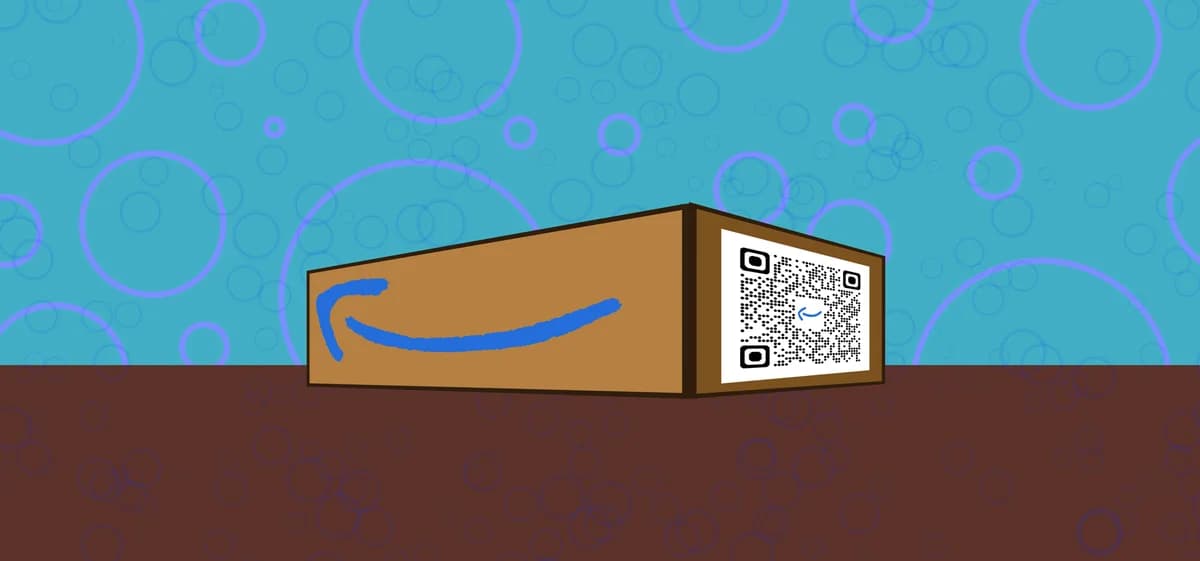
Amazon QR codes can help to solve this problem by creating scannable links that take customers directly to your product listings, storefront, or wishlists. When someone scans your QR code, they will instantly be taken to your Amazon page without needing to type up a long URL or search through countless results.
In this guide I will show you exactly how to create effective Amazon QR codes using QR Code Developer. You'll learn the best practices for different Amazon link types and discover creative ways to use these codes across your marketing materials.
Smart ways to promote Amazon products with QR codes
Amazon QR codes work particularly well when you need to connect physical marketing with online purchasing. They eliminate the frustration of manual searching and typing that often causes customers to abandon their purchase intent. Learn more about effective QR code business cards for additional marketing ideas.
Product packaging and inserts
Include QR codes on product packaging that link to your other Amazon products, encouraging repeat purchases and cross-selling opportunities.
Trade show displays and booths
Display QR codes at trade shows and events so visitors can instantly access your Amazon storefront without needing to remember your brand name or search terms.
Print advertisements and flyers
Add QR codes to magazine ads, newspaper inserts, or direct mail pieces that take readers straight to specific product pages with current pricing and availability.
Social media and email campaigns
Use QR codes in Instagram stories, email newsletters, or video content where clickable links aren't available or convenient for mobile users.
Building your Amazon product QR code
Creating Amazon QR codes requires the right URL format and proper testing to ensure customers reach the correct destination every time.
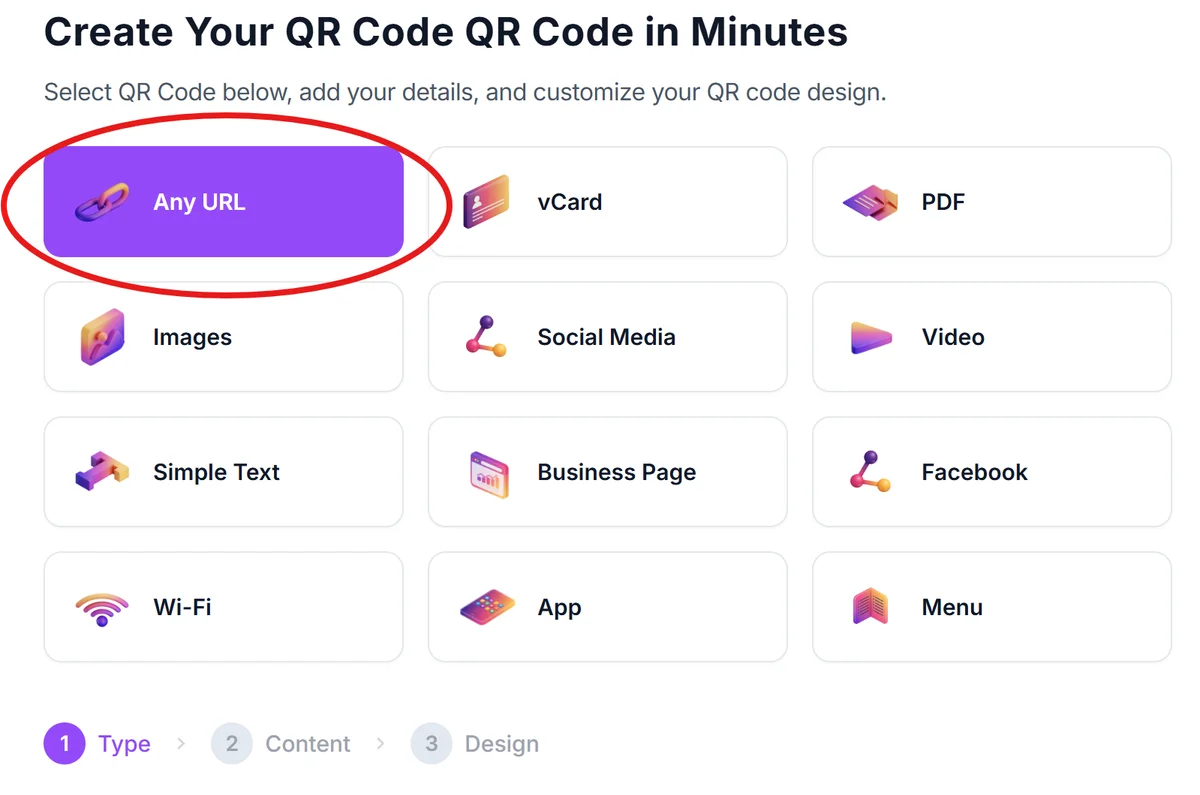
Navigate to the QR code generator
Visit qrcodeveloper.com and select the URL QR code option from the available code types.
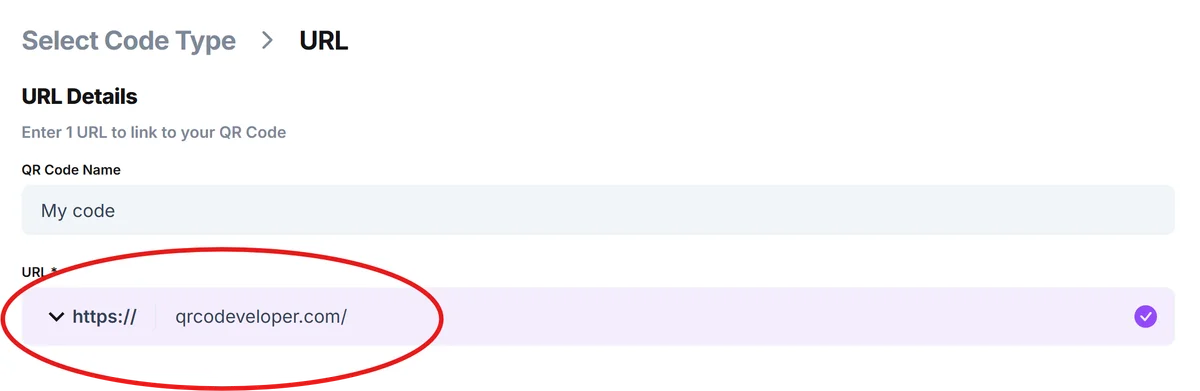
Copy your Amazon product URL
Go to your Amazon product page, storefront, or wishlist and copy the full URL from your browser's address bar. Make sure you're using the correct regional Amazon domain (amazon.com, amazon.co.uk, etc.).
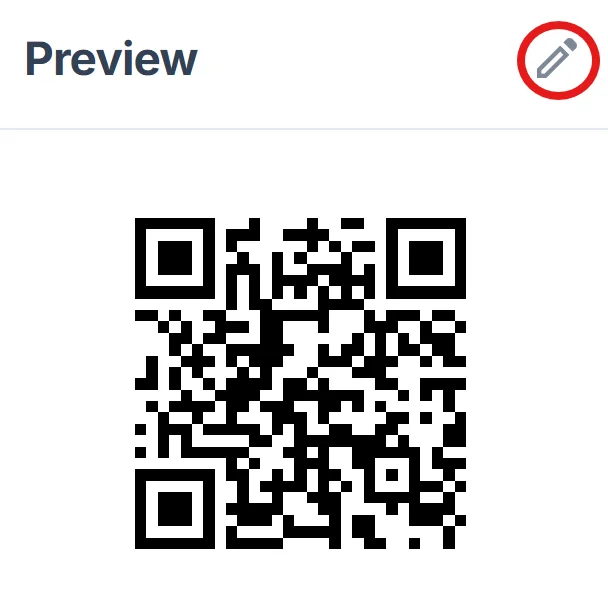
Customize your QR code design
Choose colors that match your brand or product packaging. Consider using your brand colors for the QR code itself, but ensure there's enough contrast for reliable scanning. Learn more about QR code design best practices.
Test across multiple devices
Download your QR code and test it on different smartphones and QR code scanning apps to verify it opens the correct Amazon page consistently.
Add clear scanning instructions
Place text near your QR code like 'Scan to view on Amazon' or 'Scan for product details' so people understand what they'll find when they scan.
Maximizing Amazon QR code performance
The success of your Amazon QR codes depends on strategic placement, clear messaging, and understanding how different Amazon URL types behave. Consider the differences between static vs dynamic QR codes for your marketing strategy.
Use shortened Amazon URLs when possible to create cleaner QR codes with fewer data points, which scan more reliably and look less cluttered when printed
Place QR codes at eye level and ensure they're large enough to scan easily - aim for at least 1 inch square for print materials
Include your brand name or product title near the QR code so customers know what they're scanning before they commit to opening the link
Test your QR codes regularly since Amazon sometimes changes URL structures or redirects, which could break your existing codes
Frequently Asked Questions
Can I create QR codes for Amazon affiliate links?
Yes, you can use your Amazon affiliate links in QR codes. Just make sure you comply with Amazon's affiliate program terms and disclose your affiliate relationship where required.
Do Amazon QR codes work internationally?
Amazon QR codes work globally, but customers will be directed to the specific Amazon domain in your URL. Consider creating separate QR codes for different regions if you sell internationally.
What's the best size for Amazon QR codes on packaging?
For product packaging, aim for at least 0.8 inches square, but 1-1.5 inches works better for reliable scanning. The size depends on your packaging space and viewing distance.
Can I track how many people scan my Amazon QR codes?
Basic QR code generators don't provide tracking, but you can use Amazon's own analytics to monitor traffic sources and see increases in visits from QR code campaigns.
Are there any restrictions on using QR codes with Amazon links?
Amazon doesn't prohibit QR codes linking to their platform, but make sure you follow their general linking policies and don't mislead customers about what they'll find when scanning.
Related Guides
Ready to create your QR code?
Generate custom QR codes in seconds - free and easy to use.
Create Free QR Code →