QR codes for recruiting: a step-by-step guide for hiring teams

QR codes close the gap between a job posting and an actual application by letting candidates scan and apply in seconds — whether they spot your ad on a poster, a business card, or a trade show booth.
Key Takeaways
- QR codes shorten the path from job awareness to application submission by connecting physical recruiting materials directly to your application portal.
- Dynamic QR codes let you change the destination URL at any time without reprinting materials — useful when job listings change or expire.
- Scan analytics help you measure which recruiting channels are actually driving candidate traffic, so you can spend your budget more wisely.
- Placement matters: high-traffic, eye-level locations on clear print materials consistently outperform small or cluttered designs.
- Always test your QR code on multiple devices before printing or publishing any recruiting materials.
The gap between someone noticing a job opportunity and actually submitting an application is where most candidates drop off. They see a poster at a coffee shop, a flyer at a university career fair, or a hiring sign in a store window — and by the time they get home and remember to look it up, the moment is gone. QR codes can solve this specific problem by making the path from "I'm interested" to "application submitted" as short as possible.
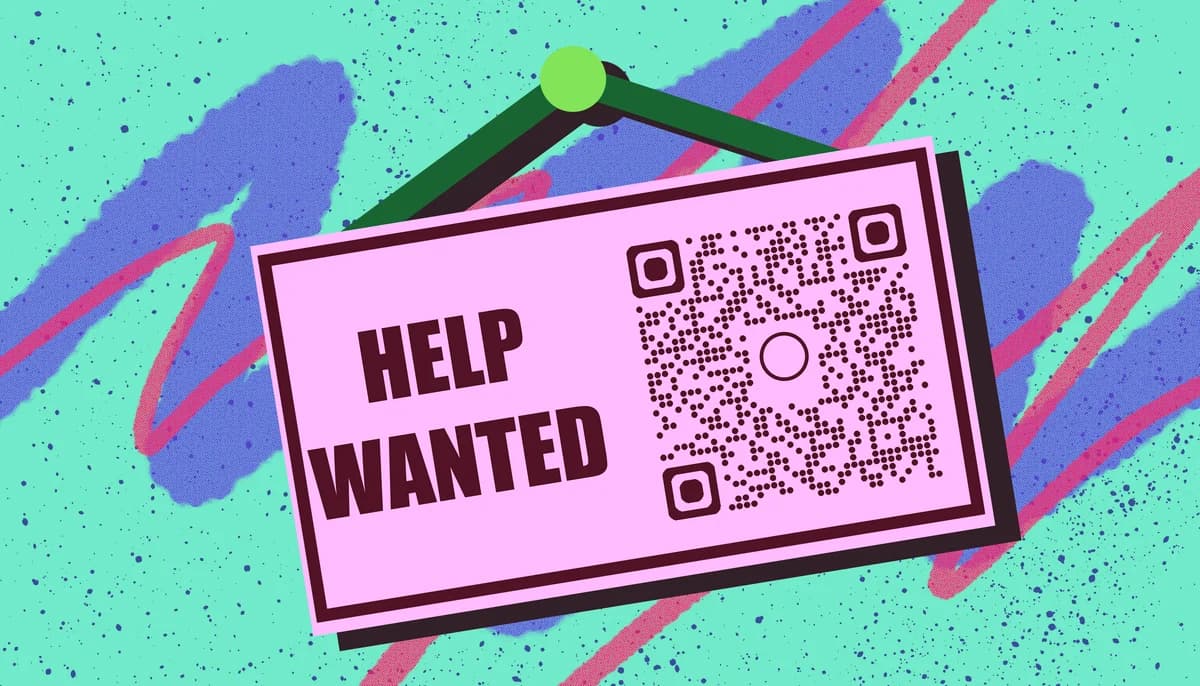
A well-placed QR code on physical recruiting materials doubles as a tracking tool. When you use a dynamic QR code, you can see exactly how many people scanned it, when they scanned it, and on what type of device. If you're new to the difference between code types, this guide on static vs dynamic QR codes breaks it down clearly. That means you can finally figure out whether your campus job fair banner is actually sending candidates your way — or if it is just taking up space in the storage room.
In this guide I will walk through how to set up recruiting QR codes, where to place them, and how to make sure they convert curious passersby into real applicants.
How to create and use QR codes for recruiting (step by step)
Setting up a recruiting QR code takes less time than writing a job description, but a few decisions made upfront will save you a lot of headaches later. Work through these steps before you print anything.
Step 1: Decide what the QR code should link to
Before generating anything, nail down the destination. Most recruiting QR codes point to one of three places: a specific job listing, a general careers page, or a pre-filled application form. Linking directly to a job listing works well for role-specific flyers. Linking to a careers page makes more sense for general brand awareness materials like booth banners or branded merchandise.
Step 2: Choose between a static and a dynamic QR code
A static QR code permanently encodes a URL into the pattern itself. It works fine for a one-time use, but if the job listing URL changes or the role gets filled, you cannot update it without generating and reprinting a new code. A dynamic QR code stores a short redirect link instead, so you can update the destination anytime from your dashboard. For recruiting, dynamic codes are almost always the better call. Job URLs change, roles close, and hiring cycles repeat — you want to reuse your materials without starting from scratch. Dynamic codes also unlock scan analytics, which is how you measure whether a particular piece of recruiting collateral is actually working. You can and start tracking scans right away.
Step 3: Generate the QR code and customize it
Head to a QR code generator that supports dynamic codes and paste in your destination URL. From there, you have options to customize the look: add your company logo to the center, match the colors to your brand palette, or choose a frame style that includes a short call-to-action like "Scan to apply." Keep the design readable — high contrast between the code and its background is non-negotiable. For more guidance on making your code visually effective, see these QR code design tips. A dark code on a white or very light background scans reliably. Light-on-dark can work but requires careful testing. Avoid placing the logo so large that it covers too much of the code's data modules, which can cause scan failures on older phones.
Step 4: Test across multiple devices before printing
This step gets skipped more often than it should. Before sending anything to the printer or posting a digital version, scan the code with at least two different smartphones — ideally one iOS and one Android device. Check that the landing page loads correctly, that the mobile layout looks clean, and that the application form or job listing is easy to interact with on a small screen. If you added error correction during generation, the code will be more forgiving of minor print imperfections, but testing is still essential. A broken QR code on a thousand printed flyers is a frustrating and expensive problem.
Step 5: Place your QR codes on the right recruiting materials
The physical placement of a recruiting QR code is just as important as the destination it points to. Job fair banners and booth displays are natural fits — candidates already have their phones out and are actively looking for opportunities. Printed flyers at universities, community centers, trade schools, and co-working spaces reach people who might not have seen your online postings. For tips on designing effective print materials, check out this guide on how to add a QR code to your flyer. Business cards carried by recruiters can include a QR code linking to an open roles page, making it easy for anyone they meet at a networking event to apply later. Some employers have also had success placing QR codes on product packaging, in-store signage, or employee referral cards distributed to current staff.
Step 6: Track your scans and adjust your strategy
One of the underused benefits of dynamic QR codes in recruiting is the analytics dashboard. Once your materials are live, check scan data regularly. You can see total scans, scan times, geographic locations, and device types. If a flyer campaign at one campus is generating far more scans than another, you know where to focus your next print run. If scans spike on weekday mornings but drop off on weekends, that tells you something about when candidates are actively job searching. Use this data to refine your placement strategy over time. For more on reading QR code analytics, check out this .
Tips for getting more scans from your recruiting QR codes
A well-generated QR code is only part of the equation. These practical tips help you get the most out of every piece of recruiting material you put into the world.
Always add a clear call-to-action near the code. Something like "Scan to see open roles" or "Apply in 2 minutes" tells candidates exactly what will happen when they scan — and gives them a reason to do it.
Print the code at a minimum of 1 inch by 1 inch on paper materials. Smaller than that and older phone cameras struggle to read it reliably. For banners or posters meant to be scanned from a distance, go larger.
Use a unique QR code for each recruiting channel so your analytics stay clean. One code for the job fair banner, a different one for the campus flyer, another for the referral card. That way you know exactly which materials are driving applications.
Pair the QR code with a short, readable URL printed below it. Some candidates will prefer to type the link manually, and showing the URL builds trust — it tells them where they are going before they scan. If candidates have concerns about scanning unknown codes, pointing them to a resource on how to check if a QR code is safe can help ease hesitation.
Refresh your QR code's destination when a role closes. With a dynamic code, you can redirect old materials to a general careers page so candidates who scan an outdated flyer still land somewhere useful rather than hitting a dead link.
For digital recruiting materials like email newsletters or LinkedIn posts, link the image of the QR code directly to the application page. Some candidates will tap the image on mobile rather than opening their camera app, so a clickable code covers both behaviors.
Frequently Asked Questions
Can I use the same QR code for multiple job openings?
You can, if the code links to your general careers page where all open roles are listed. If you want to link to a specific job listing, it is better to create a separate code for each role. With dynamic QR codes, you can reuse the same printed material and simply update the destination URL when the role changes, which saves on reprinting costs.
Do QR codes work at job fairs and career events?
Yes, and they work particularly well in that setting. Job fairs are noisy and fast-paced — candidates collect a stack of brochures and rarely go back through all of them later. A QR code lets an interested candidate bookmark your opportunity on the spot by scanning and saving the link or starting an application before they leave the booth. Pair the code with a clear call-to-action printed next to it so candidates know what they are scanning for.
What should the QR code link to for the best conversion?
The most effective destination is a mobile-optimized application page or job listing that loads quickly and requires minimal navigation. The fewer steps between scanning and submitting, the better your conversion rate will be. Avoid linking to a homepage and expecting candidates to hunt for the careers section on their own — that friction causes drop-off. If your applicant tracking system supports deep links to specific roles, use those.
How do I know if my recruiting QR codes are actually working?
Dynamic QR codes come with a scan analytics dashboard that shows you total scans, scan timing, device types, and location data. Compare that scan data against applications received during the same period to get a rough conversion picture. You can also tag the destination URL with UTM parameters so your web analytics platform attributes traffic correctly to each recruiting channel. For a deeper look at how to set that up, this walks through the tracking options available.
Is it expensive to create QR codes for recruiting?
Static QR codes are free to generate at most tools and stay free indefinitely. Dynamic QR codes — which give you the ability to update the destination and see scan analytics — typically require a paid plan, but entry-level plans are affordable enough that even small recruiting teams can justify the cost given the time saved on reprinting materials. The tracking data alone can help you cut spending on underperforming print channels.
Can candidates scan a QR code without a special app?
Yes. Both iOS and Android phones released in the last several years have built-in QR code scanning through the native camera app. Candidates just open their camera, point it at the code, and tap the notification that appears. No separate scanning app is required. This makes the experience frictionless for the vast majority of job seekers.
Related Guides
Ready to create your QR code?
Generate custom QR codes in seconds - free and easy to use.
Create Free QR Code →