Personal blog QR codes to share your content instantly

Bridge the gap between offline conversations and online content with scannable codes that direct readers straight to your blog posts.
How personal bloggers use QR codes to share content
Bloggers write an average of 1,600 words per post, but getting people to actually read that content remains the biggest challenge. QR codes can make it so that you can get your the blog you've worked so hard on seen by more people, justifying all the hours you spent on writing.
A personal blog QR code can link to your blog's homepage, a specific post, or even your about page. When someone scans it with their phone's camera, they'll be taken to your content without having to remember your domain name or search for you online. This makes sharing your work as simple as showing someone a small square image.
Throughout this article, I'll show you how to create these codes and use them strategically to grow your readership. You can generate your blog QR code using QR Code Developer and start connecting with readers in new ways. So let's dive right in!
Smart ways to promote your blog with QR codes
Personal bloggers face unique challenges when it comes to growing their audience. Unlike businesses with marketing budgets, you need creative, low-cost ways to share your content. QR codes work particularly well for business cards and networking situations where you want to make a lasting impression.
Networking events and conferences
Include a QR code on your name tag or business card that links directly to your blog's about page or latest post. People can scan it during conversations and read your content later.
Speaking engagements and workshops
Add a QR code to your presentation slides that links to a related blog post. Attendees can access additional resources or your full thoughts on the topic you're discussing.
Physical marketing materials
Print QR codes on flyers, posters, or handouts for local events. This works especially well for lifestyle bloggers, food bloggers, or anyone with location-based content.
Creating QR codes for your blog posts
Setting up QR codes for your personal blog takes just a few minutes and can significantly boost your content's reach.
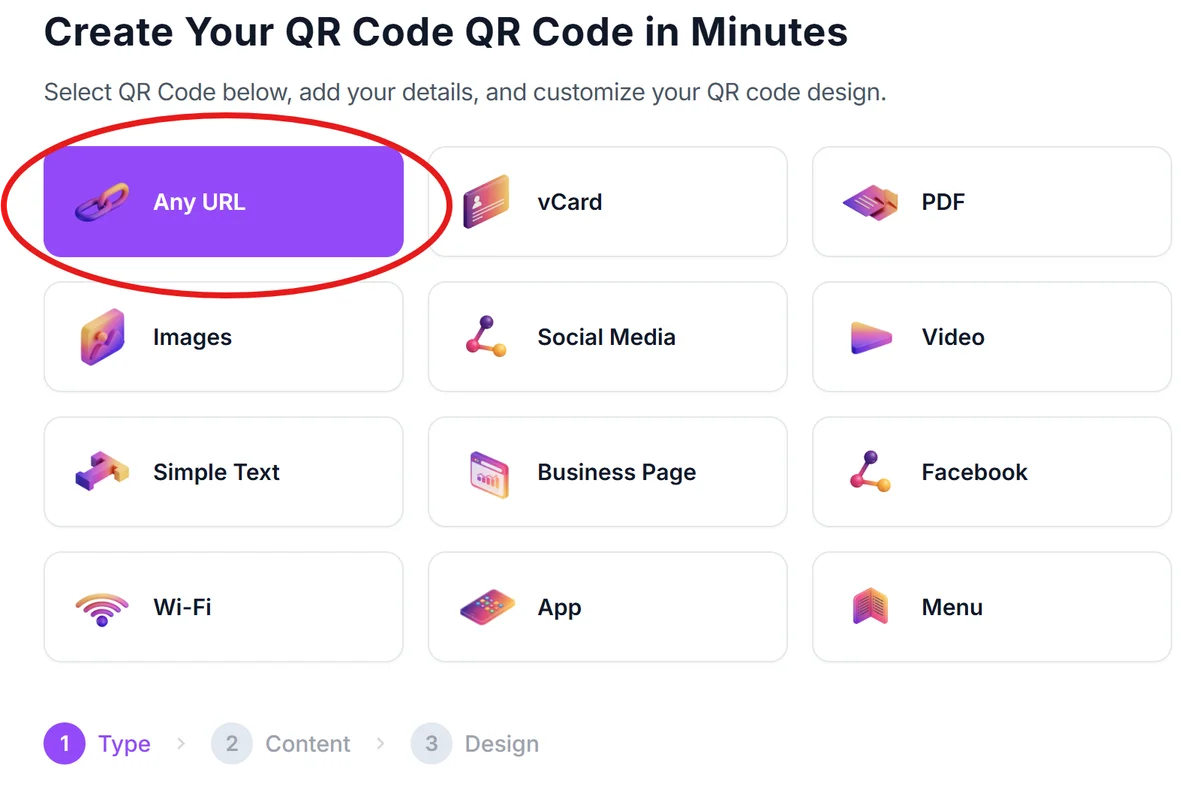
Visit the QR code generator
Go to qrcodeveloper.com and select 'URL' as your QR code type. This is the most versatile option for blog content.
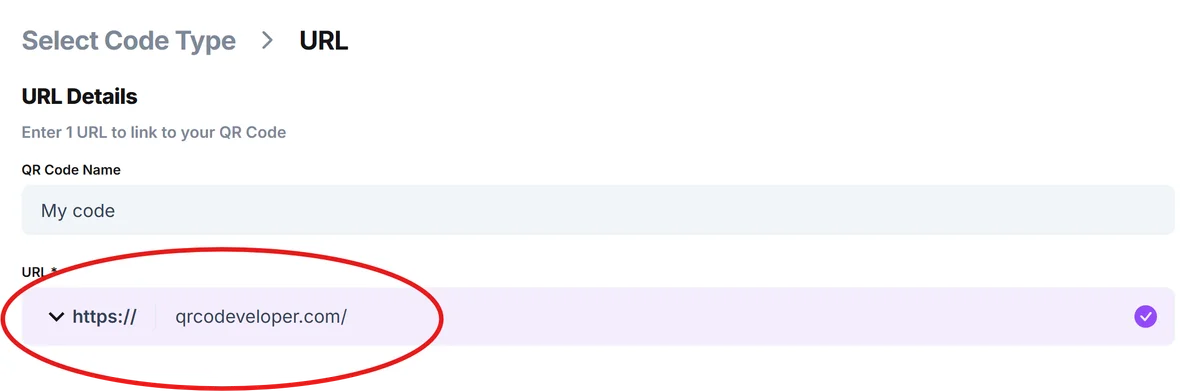
Enter your blog URL
Paste the full URL of your blog post, homepage, or specific page you want to promote. Double-check that the link works and goes to the right place.
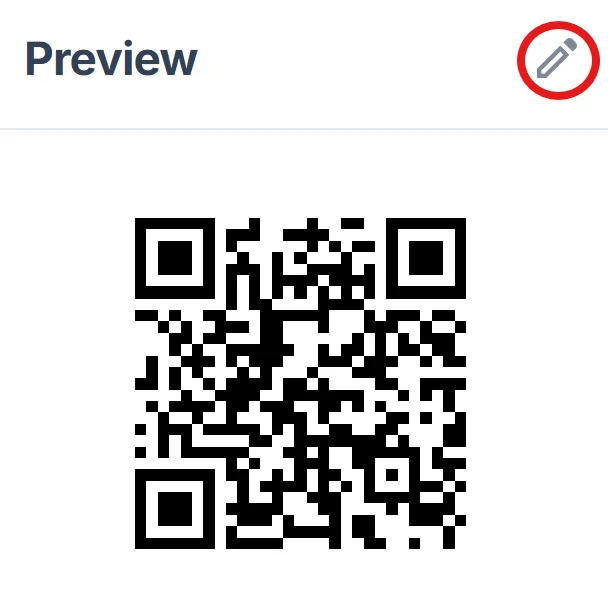
Customize your design
Click on the pencil icon in the Preview window to further customize your code. Choose colors that match your blog's branding. Many personal bloggers use their brand colors or keep it simple with black and white for maximum scannability, following QR code design best practices.
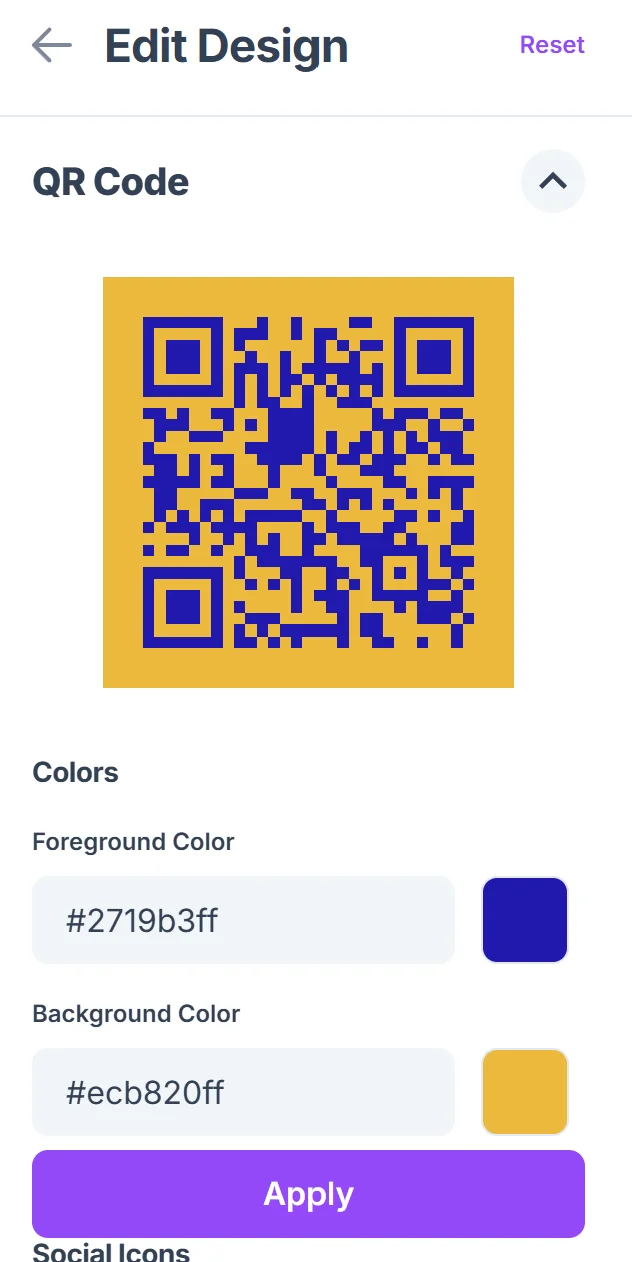
Test the QR code
Before using it anywhere, scan the QR code with your phone to make sure it works properly and loads quickly. Test it on both iPhone and Android devices if possible.
Download and implement
Save the QR code as a high-resolution PNG file. You can now add it to business cards, flyers, social media posts, or any other promotional materials.
Best practices for blog QR code success
Getting people to scan your QR codes requires strategic thinking about placement, design, and context.
Always include a call-to-action near your QR code, like 'Scan to read my latest post' or 'Get the full story here.' People need to know what they'll get when they scan.
Create different QR codes for different purposes - one for your homepage, one for your most popular post, and specific ones for new content you're promoting.
Place QR codes at eye level when possible and ensure they're large enough to scan easily. A 1-inch square is usually the minimum size for reliable scanning.
Track which QR codes perform best by using URL shorteners or analytics tools. This helps you understand what content resonates most with your audience.
Frequently Asked Questions
Can I create QR codes for specific blog posts?
Yes, you can create a unique QR code for each blog post by using the post's individual URL. This is great for promoting specific content at events or in targeted campaigns.
Should I link to my homepage or specific posts?
It depends on your goal. Link to your homepage for general brand awareness, or to specific posts when promoting particular content. Consider creating multiple QR codes for different purposes.
How can I track QR code performance for my blog?
Use your blog's analytics tools to monitor traffic sources, or create trackable links through URL shorteners before generating the QR code. This shows you which codes drive the most visitors.
What's the best size for printing blog QR codes?
Print QR codes at least 1 inch square for business cards, and larger for posters or flyers. The key is ensuring people can easily scan them with their phones from a comfortable distance.
Are QR codes free to create for personal blogs?
Yes, basic QR code generation is free. You can create unlimited codes for your blog content without any cost, making them perfect for personal bloggers on a budget.
Related Guides
Ready to create your QR code?
Generate custom QR codes in seconds - free and easy to use.
Create Free QR Code →