Newsletter QR Code Generator

Turn any physical surface into a newsletter signup point by linking a scannable QR code directly to your subscription page — no typing required for your audience.
What Is a Newsletter QR Code?
Growing an email list is one of the most reliable long-term marketing strategies out there — yet most businesses focus entirely on digital channels and overlook the offline world. A newsletter QR code can help to bridges that gap. It is a scannable code that sends anyone who scans it directly to your email signup page, whether that is a Mailchimp form, a ConvertKit landing page, a Substack subscribe link, or any custom URL you control.
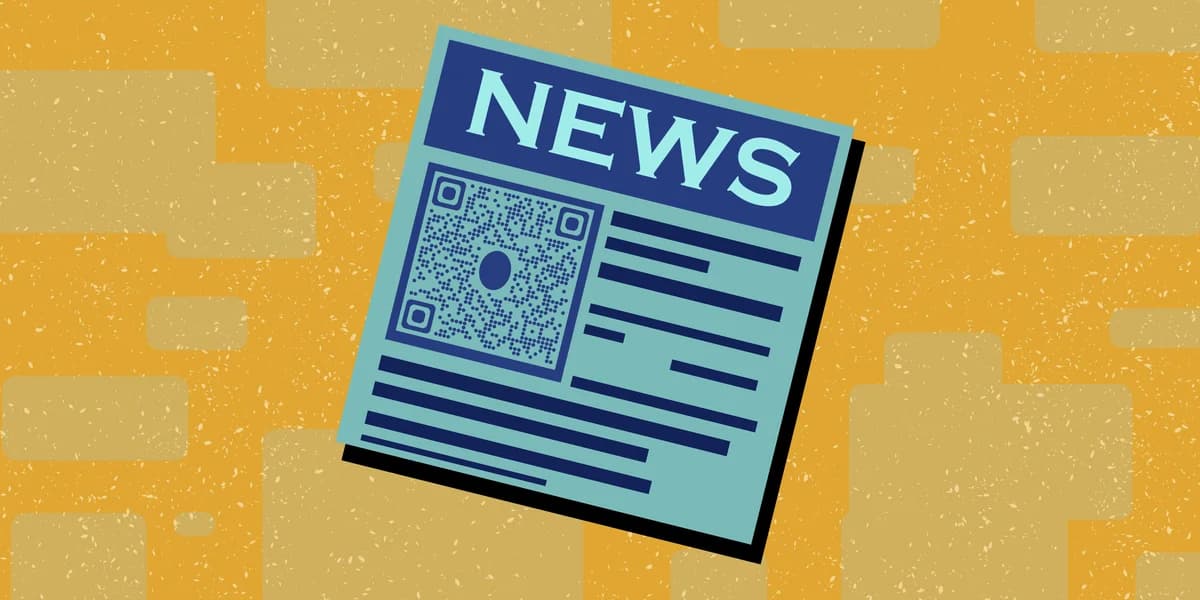
When someone scans the code with their smartphone camera, their browser opens your subscription page instantly. There is no app to download, no URL to type, and no friction standing between an interested person and your subscriber list. For event attendees, retail shoppers, conference visitors, or anyone picking up your printed materials, the path from "curious" to "subscribed" becomes genuinely short.
A newsletter QR code works with any email service provider because it is simply a URL-based QR code pointing to your signup form. You paste in the link to your subscribe page, generate the code, and place it wherever your audience already is. You can learn more about the fundamentals in our guide to understanding QR codes if you are starting from scratch.
Where to Use Newsletter QR Codes
The value of a newsletter QR code comes from placing it wherever your target readers already spend time. Here are some of the most effective spots, both physical and digital.
Print Advertising and Direct Mail
Flyers, postcards, brochures, and magazine ads all have limited space for a URL, but a QR code takes up very little room and does the same job. Add one to your next direct mail campaign and give recipients a one-scan path to your subscribe page instead of asking them to remember a long web address. For a step-by-step walkthrough, see our guide on how to add a QR code to your flyer.
Product Packaging and Inserts
Every package you ship is a missed opportunity if it does not include a newsletter QR code. A small card inside the box — printed with the code and a brief reason to subscribe — can convert satisfied customers into long-term email subscribers who you can re-engage with offers and content.
Events, Trade Shows, and Pop-Ups
Business cards and brochures get lost, but a QR code on a table tent, banner, or badge holder is easy to scan on the spot. Place your newsletter QR code at your booth or event table so visitors can subscribe while the conversation is still fresh in their minds. You can also explore how event QR codes can support your broader engagement strategy at live gatherings.
In-Store Signage and Point of Sale
Retail locations can use newsletter QR codes near checkout counters, on shelf talkers, or on fitting room mirrors. Customers who are already engaged with your brand are much more likely to subscribe to a newsletter that keeps them informed about new arrivals or exclusive deals.
Presentation Slides and Webinar Decks
Speakers and educators can display a newsletter QR code on their closing slide. Attendees who enjoyed the content can subscribe before they even leave the room or close their laptop. This works especially well for workshops, keynotes, and online webinars where audiences are already receptive.
Printed Menus and Receipts
Restaurants, cafes, and service businesses that already use printed menus or paper receipts have built-in real estate for a newsletter QR code. A short line of copy — "Get weekly specials in your inbox" — paired with the code gives customers a clear reason to scan.
How to Create a Newsletter QR Code
Creating a newsletter QR code takes just a few minutes. Here is the full process from start to finish.
Copy your newsletter signup URL
Go to your email marketing platform — Mailchimp, ConvertKit, Substack, Beehiiv, or whichever service you use — and copy the direct link to your public signup or subscribe page. Make sure the link is live and that the form works correctly before generating the code.
Open the QR Code Developer generator
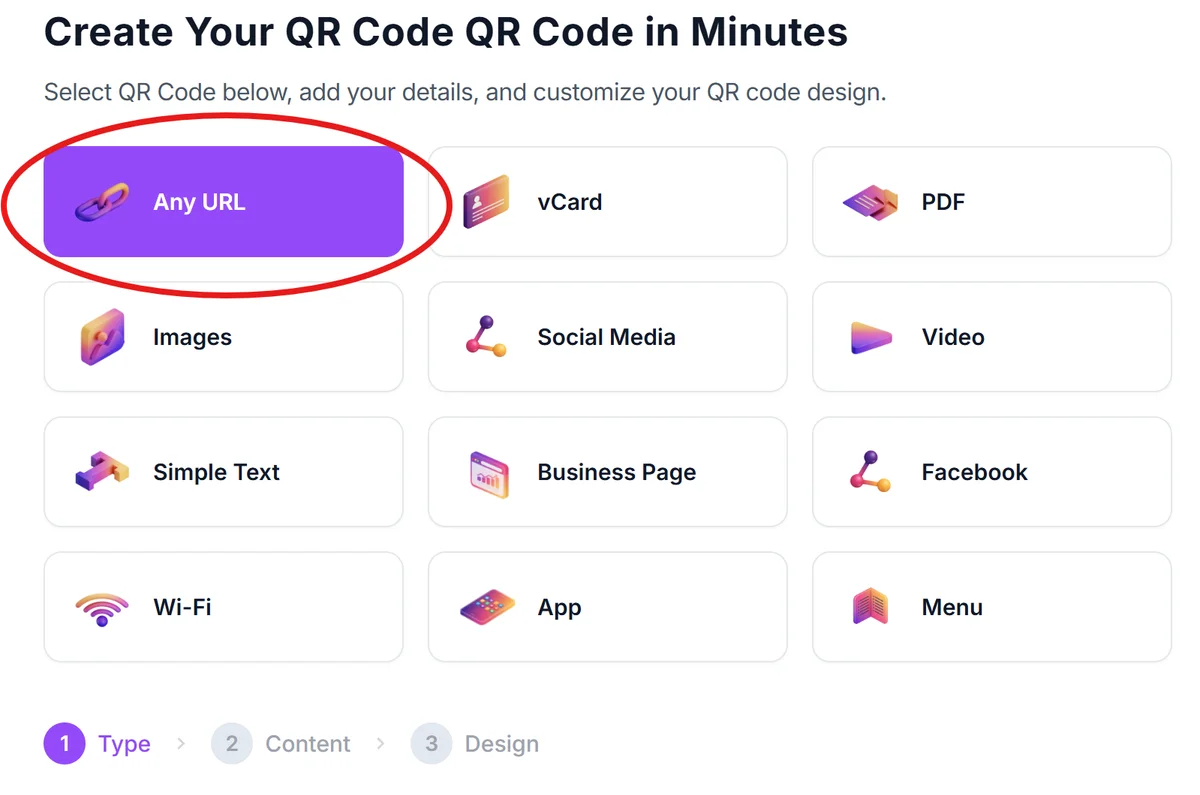
Head over to the and select the URL option. This is the right type for any link-based destination, including email signup pages.
Paste your signup URL into the input field
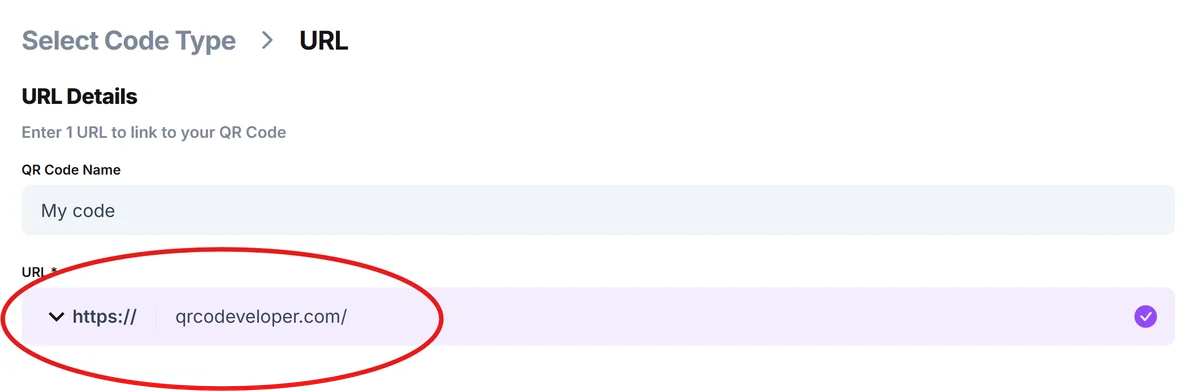
Paste the newsletter signup link you copied in step one into the URL field. Double-check that the full address is there, including the "https://" prefix, so the code resolves correctly on any device.
Customize the design (optional but recommended)
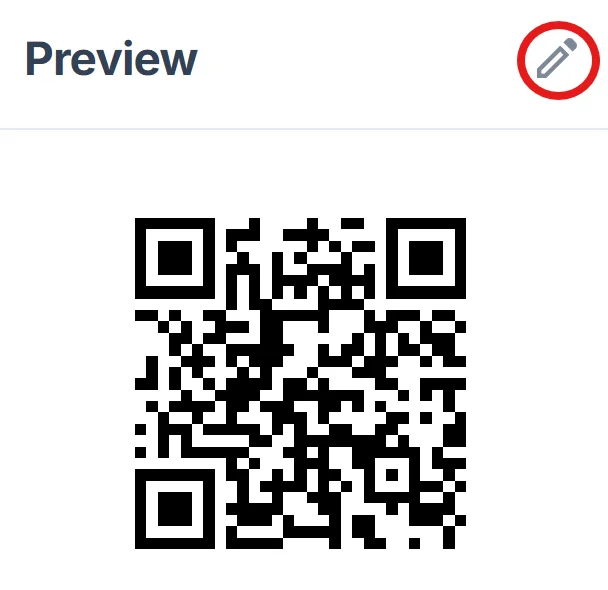
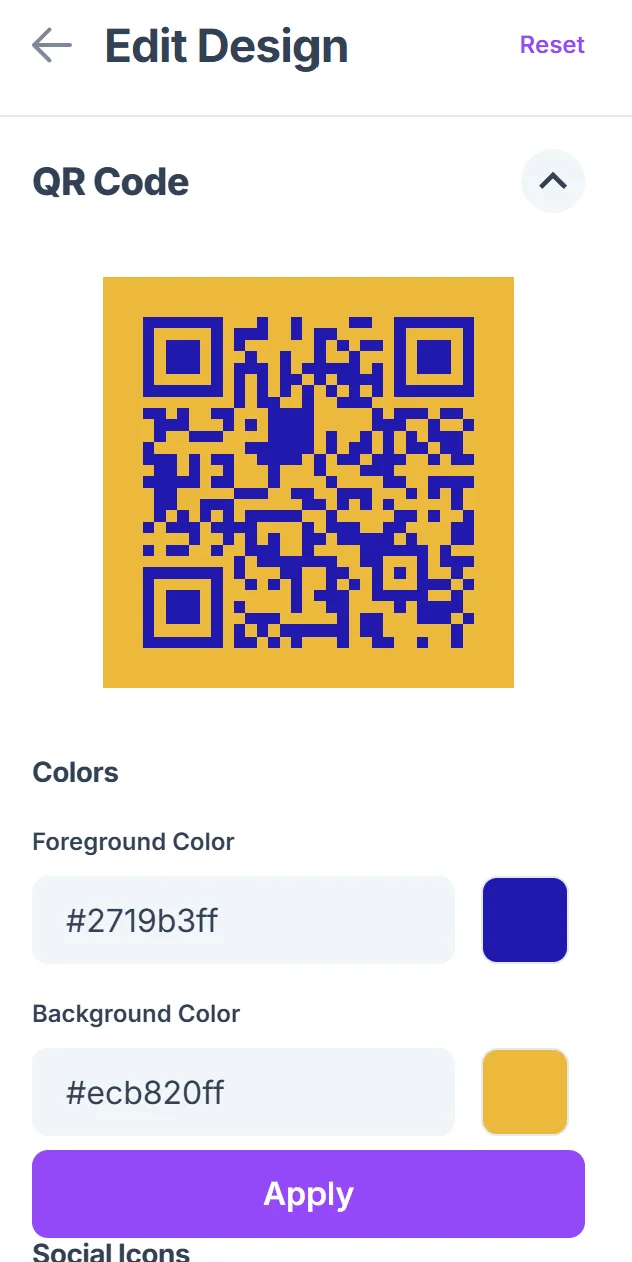
You can adjust the colors, add a logo, or change the dot style to match your brand. A newsletter QR code that looks consistent with your other marketing materials tends to earn more scans because it reads as intentional rather than generic. Our QR code design tips cover the best practices for making your code both attractive and reliably scannable.
Download in the right format for your use
Download a PNG for digital use (email footers, social posts, website embeds) or an SVG for print (flyers, packaging, signage). SVG files scale to any size without losing quality, which matters a lot when printing at large formats.
Test before you publish or print
Scan the code yourself with at least two different smartphones before you print anything or go live. Confirm that the signup page loads correctly, the form is accessible on mobile, and the subscribe process completes without errors. Printing a batch of flyers with a broken link is an expensive mistake to fix.
Tips for Better Results
Generating the code is the easy part. Getting people to actually scan it and subscribe takes a little more thought. These practical tips will help you get more out of your newsletter QR code.
Add a clear call to action near the code. "Scan to subscribe" or "Get our weekly tips by email" tells people exactly what will happen and why they should bother. A QR code with no context gets ignored.
Keep your signup page mobile-friendly. Nearly every scan will come from a smartphone, so if your landing page is hard to use on a small screen — long forms, tiny text, slow load times — you will lose subscribers right at the finish line. Test the full flow on your phone before placing the code anywhere.
Offer an incentive where it makes sense. A discount code, a free download, or access to an exclusive resource gives potential subscribers a concrete reason to hand over their email address. Even a simple "Be the first to know about new arrivals" can be enough if your audience already trusts you.
Use a short, memorable URL before you encode it. If you use a URL shortener or a custom domain redirect (like yoursite.com/subscribe instead of a long Mailchimp URL), the QR code will be slightly simpler in structure and may scan more reliably. It also makes it easier to update the destination later if you switch email platforms.
Place the code at eye level and in well-lit areas. On printed signage especially, a code that is too low to the ground, tucked in a corner, or printed in poor contrast will not get scanned. Make it prominent and high-contrast — dark code on a light background is the most reliably scannable combination.
Track your scans if growth matters to your campaign goals. Pairing your newsletter QR code with a UTM-tagged URL or a dynamic QR code lets you see how many people scanned it and from which placement. This data helps you figure out which physical locations are worth repeating in future campaigns. Check out our overview of static vs dynamic QR codes to understand which type gives you tracking capabilities.
Frequently Asked Questions
Does this work with any email newsletter platform?
Yes. The newsletter QR code is a URL-based code, so it works with any platform that gives you a public signup link. Mailchimp, ConvertKit, Beehiiv, Substack, Klaviyo, ActiveCampaign, ConstantContact — if it has a subscribe page with a URL, you can turn it into a QR code.
Do people need a special app to scan the code?
No. Any modern smartphone running iOS or Android can scan a QR code using the built-in camera app. There is no need for a third-party QR reader app. The user simply opens their camera, points it at the code, and taps the notification that appears.
What is the difference between a static and a dynamic newsletter QR code?
A static QR code encodes the URL directly and cannot be changed after it is generated. A dynamic QR code points to a redirect that you can update at any time, even after printing. If you think you might switch email platforms or change your signup URL in the future, a dynamic code gives you the flexibility to update the destination without reprinting your materials.
How large does the QR code need to be for printing?
For business cards and small inserts, a minimum of about 2 cm by 2 cm (roughly 0.8 inches square) is the general rule of thumb. For larger signage like posters or banners, scale it up proportionally. Always download your code as an SVG file for print so it stays crisp at any size, and keep a quiet zone — a small border of empty space — around the code so scanners can read it cleanly.
Can I customize the look of the QR code to match my brand?
Yes. You can change the colors, adjust the dot pattern, and add a logo to the center of the code. Just be careful not to cover too much of the code with a logo — keeping it to roughly 20–30% of the center area ensures the built-in error correction can still decode the code reliably.
Will the QR code expire?
A static QR code never expires — it will keep working as long as the URL it points to remains live. If your signup page goes down or you change the URL without updating a redirect, the code will stop working. Dynamic codes let you swap the destination URL at any time, which is a useful safety net for long-running campaigns or printed materials with a long shelf life.
Related Guides
Ready to create your QR code?
Generate custom QR codes in seconds - free and easy to use.
Create Free QR Code →