Logos QR Code Generator

Branded scan codes replace a generic black-and-white grid with recognizable visual identity, helping customers trust a code before they even scan it and connecting print materials to your brand instantly.
What is a logos QR code generator?
Why does a plain QR code get ignored while a branded one gets scanned? Recognition. Shoppers are trained to skip anonymous black squares on flyers and packaging, but the moment they see a familiar logo sitting in the middle of a code, their guard drops and their curiosity kicks in. A logos QR code generator is a tool built specifically to let you drop your logo, brand colors, and custom frame styling into a working QR code without breaking its ability to scan.
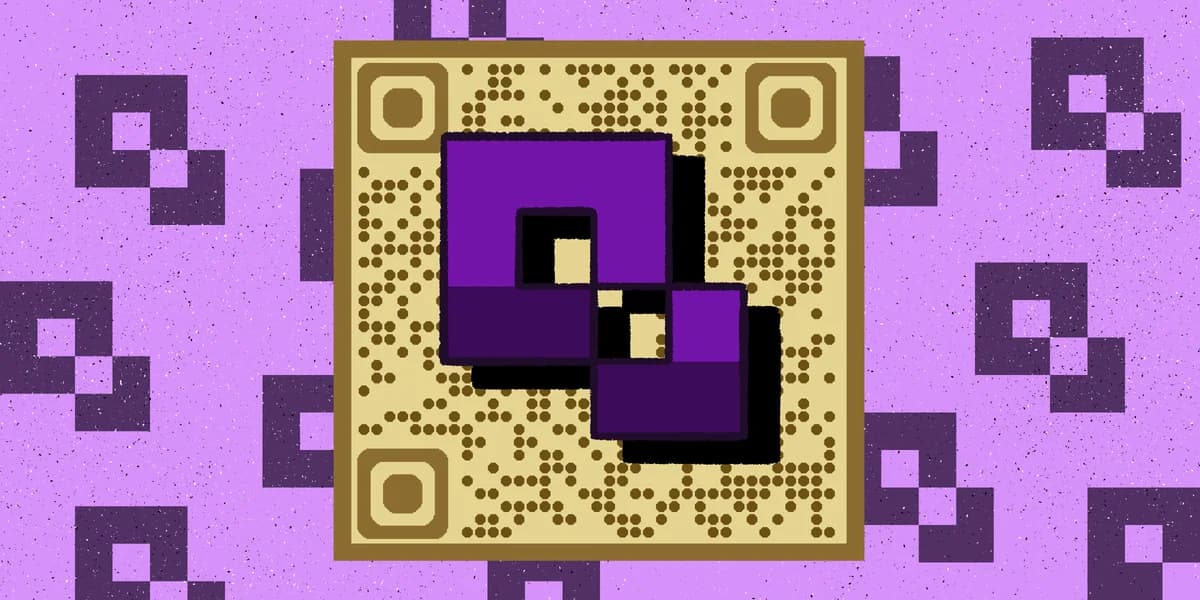
Under the hood, QR codes have built-in error correction, meaning a portion of the code's data can be covered or altered and the code will still resolve correctly. Logo QR generators take advantage of that redundancy: they place your image in the center square, adjust the surrounding modules, and run the design through the same error correction logic so scanners still read the underlying link. The result looks like a mini piece of branded artwork instead of a random pixel grid.
This matters more than most people assume. According to Bitly, 49% of marketers say adding a business logo is the single most valuable part of customizing a QR code, and QR-Verse found that custom-designed codes with logos and branded frames see scan rates 50-80% higher than plain black-and-white versions.
Where branded QR codes get used
Logo QR codes show up anywhere a brand wants recognition attached to a scan, not just a functional link. Here are the places they earn their keep.
Retail packaging and shelf tags
A logo QR code on a product box or shelf tag signals authenticity, which matters when customers are choosing between competing brands standing side by side.
Print advertising and flyers
Branded codes on flyers blend into the design instead of looking like an afterthought stapled onto the layout.
Business cards and stationery
A logo-embedded code on a business card reinforces who someone just met, even after the card gets buried in a stack.
Event signage and booths
At trade shows and conferences, a branded code helps your booth stand out among dozens of identical generic codes competing for the same foot traffic.
Restaurant menus and table tents
A logo QR code on a QR code menu looks intentional rather than like a hastily printed sticker taped to the table.
How to create a logo QR code
Adding a logo to a QR code is a design step layered on top of a normal code build. Here's the process from start to finish.
Pick your destination link
Decide what the code should open, whether that's a website, menu, contact card, or landing page, and confirm the link works correctly before you style anything.
Choose a generator that supports logo uploads
Not every free tool allows image embedding. Use the QR code generator and look for the logo or image upload option in the customization panel.
Upload your logo file
Use a high-resolution PNG with a transparent background if possible, since transparent edges blend more cleanly into the center of the code.
Adjust size and error correction
Keep the logo small relative to the total code, generally under 30% of the code's area, and bump error correction to a higher level so the data stays readable underneath the image.
Test the scan before printing
Print a sample at actual size and scan it with two or three different phone models. Lighting, paper texture, and camera quality all affect whether a branded code still resolves cleanly.
Design tips for logo QR codes
A logo can make a QR code more inviting or completely unreadable, depending on how it's applied. These tips keep the balance right.
Center the logo instead of overlapping the corner squares, since those three big squares are the code's positioning markers and covering them breaks the scan entirely.
Match your brand color to the code's dark modules rather than the background, since dark-on-light contrast is what scanners rely on to detect the pattern.
Round the logo's edges or add a thin white border around it so the image doesn't visually bleed into the surrounding data modules.
Avoid busy multi-color logos with fine detail; simplified single-color or two-color versions of your mark hold up better at small print sizes.
Pair the branded code with a static or dynamic link depending on whether the destination might change later — check out static vs dynamic QR codes for the difference.
Frequently Asked Questions
Will a logo make my QR code stop scanning?
Not if it's sized correctly. QR codes tolerate a certain percentage of visual obstruction thanks to built-in error correction, so a small centered logo, kept under roughly 30% of the code's area, typically won't interfere with the scan.
What file format should I use for my logo?
A PNG with a transparent background works best. It lets the logo sit cleanly inside the code without a stray white or colored box around it competing with the design.
Can I use my logo as the QR code's background instead of the center?
You can, but it's riskier. Full-background logo designs need very high error correction and careful contrast testing, since large image areas increase the chance a scanner struggles to separate the logo from the actual code pattern.
Do branded QR codes work the same way on packaging as on paper?
Yes, the underlying mechanics are identical. What changes is print quality and material reflectivity, so glossy packaging may need a slightly larger code size or a matte finish to avoid glare that confuses the scanner.
Related Guides
Ready to create your QR code?
Generate custom QR codes in seconds - free and easy to use.
Create Free QR Code →