How to Design a QR Event Ticket for Print and Digital

Key Takeaways
- QR codes are now used on most event tickets
- Codes can reduce much of the frustration involved with buying, selling, and using tickets
- Visual design needs to be taken into account when using QR code tickets
In person events are great! Whether it's a festival, a live theater production, or just a weekend trip to the movies, it's nice to get out of the house and experience something in person. The process of getting there, however, can be a struggle, especially when it comes to ticketing.
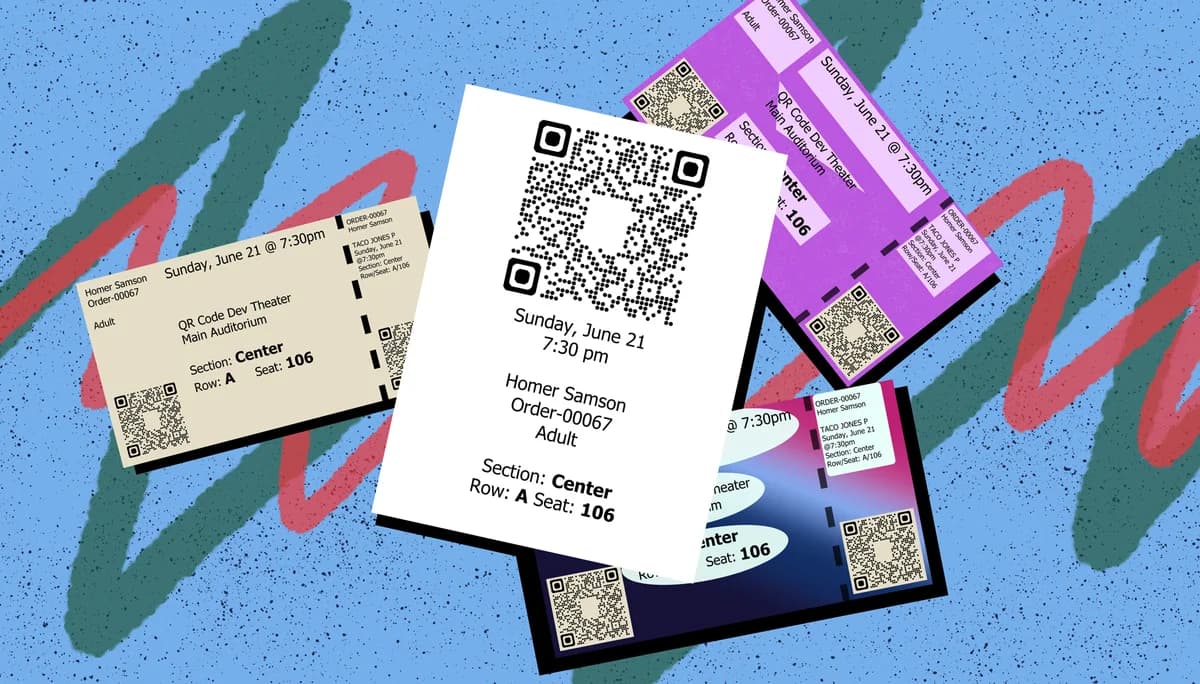
Tickets can be lost, roughed up, difficult to find, and even if you opt for them to be held in will call, then you have to wait in another line and wait for them to find your tickets.
Luckily, the process has been made far easier through the use of QR codes.
In this piece I will take you through the basics of QR code tickets for events and the best ways to design your own to ensure maximum efficiency for you and your guests.
So let's get the show on the road!
What is a QR code?
A QR code is a type of image that has been encoded with data contained within monochrome squares or dots. These codes can be scanned by a smart device, like a phone or a tablet, in order to gain access to a variety of digital content, including web pages, social media accounts, images, text documents, videos, contact information, WiFi logins, parcel tracking, and much more.
These codes are nothing but simple 2D images in the real world, like a UPC barcode, and can therefore be placed just about anywhere you can print a picture, like on a sign, poster, flyer, sticker, advertisement, or in this case, an event ticket.
These codes are also easy to make through a service like QR Code Developer, and can be customized to fit your needs.
How do QR code tickets work?
QR code tickets work by having the verification for your ticket saved into a QR code, which is then scanned by a ticket taker or usher of the event venue to verify that it is legit. These tickets can be distributed through a traditional print ticket or through an online ticket that can be saved to a phone.
It's also possible to print out a digital QR code ticket on a home printer to be scanned at the venue.
How to design a QR code ticket
The first thing you'll need when you decide to incorporate QR code tickets into your business is decide which ticketing service to go with. There's plenty to choose from, and most, if not all, will allow for QR code tickets, but some notable ones to check out are Beyonk, Ticketor, Event Bright, and Reg Fox.
Most services will provide designs and templates for your tickets, but if you still want to make your own, here's how:
Print tickets require a little more care than digital ones, since not every printer is created equal. While you could just make a ton of full color tickets with interesting designs, this can be quite costly. Most smaller venues opt instead for thermal printers with monochrome tickets, and these work just as well as the full color ones.
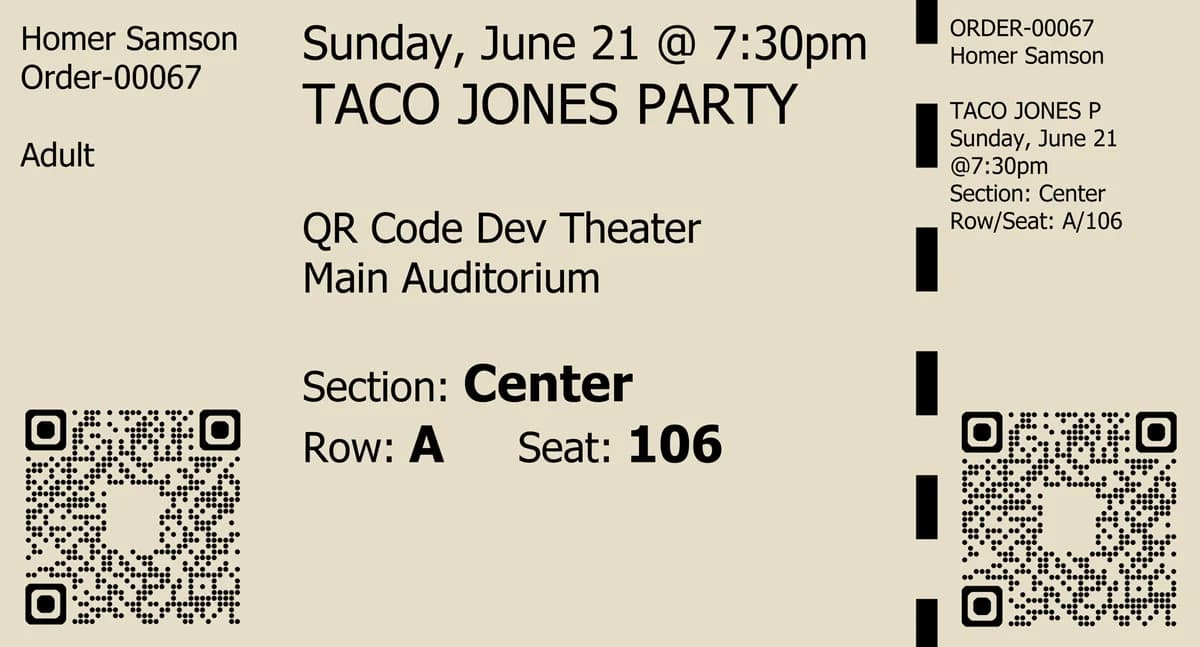
First and foremost, for a print ticket, the central focus should be, not on the code itself, but on the name of the show or event. The QR code should be a little off to the side and understated when compared to the title, date, time of the show, as well as the seating location. You want to make sure that every ticket holder knows what event the ticket is for and doesn't bring the wrong one or show up at the wrong time.
The QR code itself should be still visible, but not too much to take up valuable space for the items mentioned above. About the size of a quarter or a nickel (1-3cm) should be good. If there's a removable ticket stub, keep this in mind as well.
If you are using a thermal printer, you should keep that in mind as well. Since pretty much all thermal printers are monochrome, you should limit your design to black and white.
Here is an example of a QR code ticket made for a thermal printer:
Colorful ticket designs
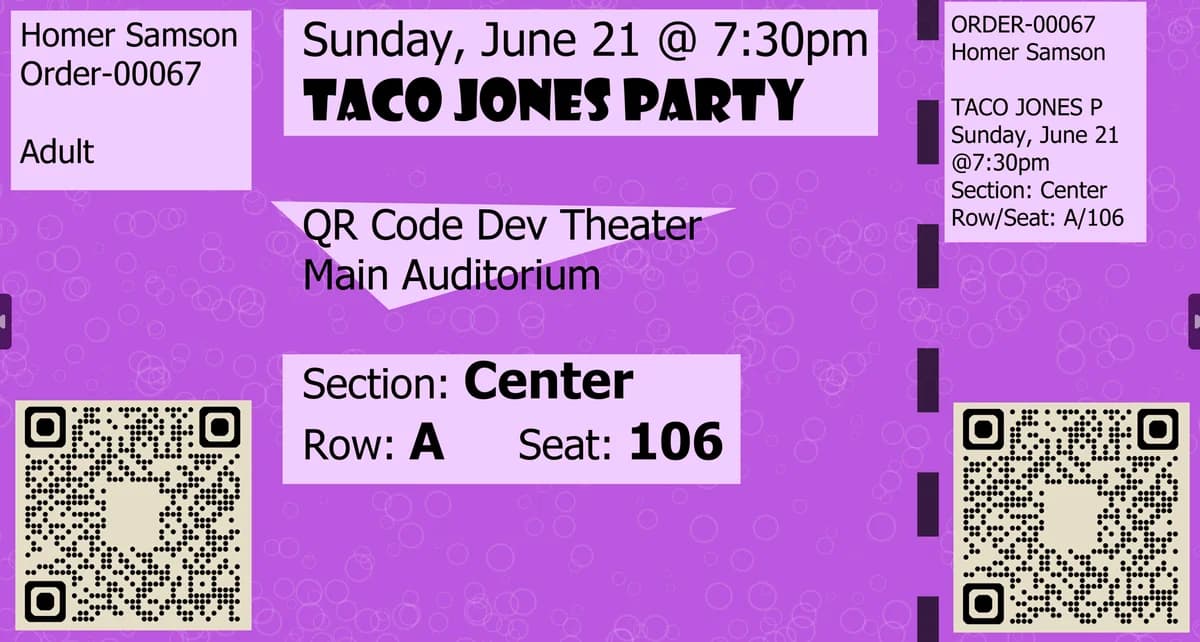
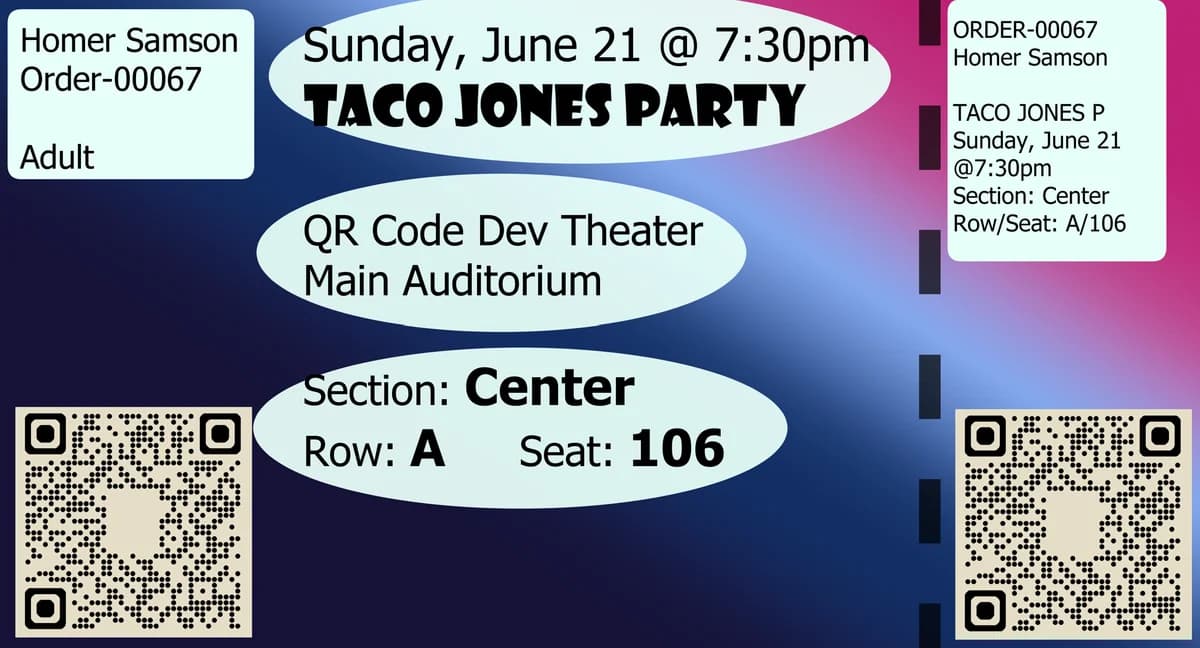
If you opt for a more fancy and colorful design it's advised that you still keep it simple and make sure that the important information, like the event name, date, time, and the QR code itself, are clearly visible.
Here are examples of what you can do with a more colorful ticket.
Digital
Digital QR code tickets offer a little bit more leeway in terms of design, since you don't have to worry about printing. Still, it's advised to keep things simple and make sure the most important information, name, date, etc., are clearly visible.
For a digital ticket, however, it's recommended that you make your design portrait, or vertical, instead of landscape, horizontal. This is because most patrons with digital tickets will keep them on their mobile phones.
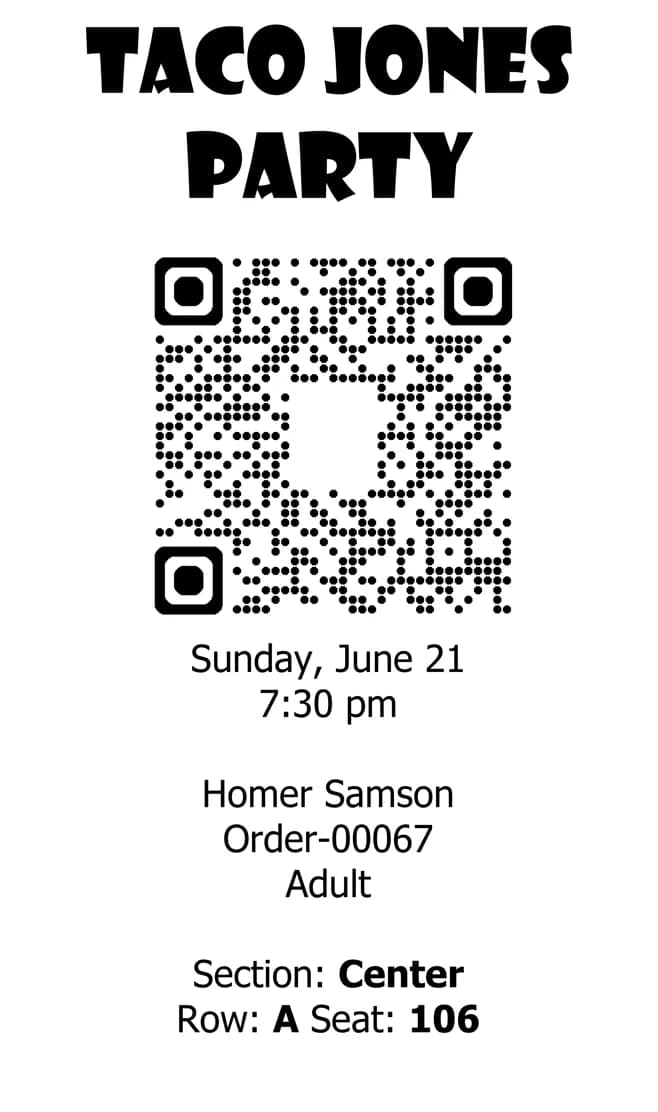
It would also be wise to make the QR code itself bigger and more in the center of the image, as opposed to off to the side in a print ticket. You should also place it on a white background to make it easier to scan.
It's also advised that you instruct ticket holders to turn the brightness on their devices all the way up to make scanning easier, though many apps will do this automatically.
Here is an example of what you should shoot for in terms of a digital QR code ticket.
Printable digital tickets
Also make sure to have digital tickets be printable on a home printer.
Benefits of QR tickets
The greatest benefit to using QR code tickets is in their ease of use and understandability. Most people in the digital age are now familiar with QR codes, especially after the COVID-19 pandemic of 2020.
QR codes also reduce much of the burden on both event attendees and organizers, as they automate much of the tedious processes that used to bog down the event experience, i.e. looking for names in will call or verifying that a ticket isn't fraudulent.
QR code tickets also make it so that you can buy tickets for the same event and at the same venue either in person or online, whether a patron keeps them on their phone or prints them out, they will work just the same.
Below are some more benefits to using QR codes in general:
• Ease of use: QR codes are both easy to use and easy to make through something like QR Code Developer. Just about every smart phone on the market has a QR code scanner built right in. All you need to do is point the camera at the code and tap the link when it pops up. QR codes can also be scanned from almost any angle and even when visible damage has been done to the code.
• Widely understood: By now, most people with smart phones are at least familiar with QR codes and know how to use them. In many regions, QR code payment is more popular than cash or cards.
• Customizable: QR codes can be heavily customized, with unique colors and appearances to fit your needs or branding.
• Hands free communication: The usage of QR codes surged during the COVID 19 pandemic since it allowed for people to communicate with each other, access content, and share resources, all without needing to touch each other or even be in the same space.
• Trackable: If you use something like QR Code Developer to make your codes, then it's possible to monitor how your codes are used. This can include information like how many scans your code got, where they were scanned, and even on what device they were scanned.
Frequently Asked Questions
Can QR codes be used for ticketing?
Yes. QR codes can be used to scan and verify tickets for various events.
Do my tickets need to be printed?
No. QR code tickets on a digital screen can still be scanned just like a print one.
Do I need to hire someone to make my QR code tickets?
For ticketing, you will likely need to go through a professional ticketing service to set up QR code tickets, but QR codes for other purposes can be made on your own for free.
Do I need to download anything to scan QR codes?
While QR scanner apps are available for mobile devices, they are not necessary. Most modern smart devices are perfectly capable of scanning codes right from the built-in camera app.
What devices can scan QR codes?
Most modern smart devices with both a built-in camera and an internet connection can scan QR codes and access the content within. This includes smart phones, tablets, and even some handheld gaming consoles.
Are QR codes safe?
While there are some risks in using QR codes, they are relatively safe.
Ready to create your QR code?
Generate custom QR codes in seconds - free and easy to use.
Create Free QR Code →