Ecommerce marketing with QR codes

QR codes give ecommerce brands a direct, trackable bridge between physical touchpoints and online destinations — turning packaging, ads, and inserts into measurable marketing channels.
Top ecommerce QR code use cases
QR codes can slot into almost every stage of the ecommerce customer journey. Here are the most effective applications brands are using right now.
Create QR CodeProduct packaging and unboxing inserts
The moment a customer opens a package is one of the highest-engagement moments in ecommerce. A QR code on a box insert can send them to a setup guide, a warranty registration page, a referral program, or a review request — all without crowding the insert with lengthy text. Because the customer already has the product in hand, conversion rates on these scans tend to be strong.
Post-purchase upsell and cross-sell
Printed packing slips and thank-you cards are often ignored, but pairing them with a QR code that links to a curated "you might also like" collection gives those materials a job to do. You can update the destination URL on a dynamic code whenever you rotate your featured products, so the physical card stays relevant without reprinting.
Direct-to-consumer loyalty and rewards signup
Brands that sell through third-party marketplaces often struggle to build a direct relationship with their customers. A QR code on the product itself — on the label, the hang tag, or inside the packaging — can send buyers to a loyalty program or email signup page, pulling them into a direct channel the brand actually owns.
Catalog and print ad campaigns
Printed catalogs and magazine ads have a notoriously hard time driving measurable traffic. A QR code on a catalog spread can link to the exact product collection shown, complete with current pricing and stock levels. Because the code is dynamic, you can also swap in a seasonal promotion without changing the print at all.
Social proof and user-generated content collection
Getting customers to leave reviews or share photos takes effort on their part. A QR code on a packaging insert that goes straight to a review page — or to a branded hashtag landing page — removes several steps from that process. If collecting Google reviews is a priority, there is a dedicated guide on using QR codes to gather Google reviews that covers the setup in detail. Some brands pair this with a small discount offer to increase participation rates.
Event and pop-up shop activations
For ecommerce brands that do occasional in-person events or pop-up retail, QR codes let shoppers browse full inventory online while standing at a table with only a few physical samples. A single scan can take them to the complete product catalog, a limited-time event discount, or even a digital lookbook.
Why ecommerce brands are using QR codes
There is often a gap in most ecommerce marketing strategies that does not get talked about enough: the physical world. Brands spend heavily on paid search, social ads, and email flows, but once a product ships or a flyer goes out, the connection to the customer often stops. QR codes close that gap. They turn static, physical surfaces into interactive entry points that send customers exactly where you want them to go online.
For ecommerce specifically, QR codes work because the entire purchase journey — browsing, comparing, buying, reviewing — already happens on a screen. A scannable code on a product insert, a shipping box, or a catalog page takes someone from the physical object in their hand straight to a product page, a discount offer, or a loyalty program signup without any friction. No URLs to type, no app to download, no extra steps.
Beyond convenience, dynamic QR codes give you something rare in offline marketing: real data. You can see how many people scanned, when they scanned, and on what device. That makes it possible to measure the ROI of print materials, packaging campaigns, and in-store displays the same way you would measure a digital ad. If you are new to the difference between static and dynamic codes, the guide to static vs dynamic QR codes on this site breaks it down clearly.
How to create a QR code for ecommerce marketing
Creating a QR code for your ecommerce use case takes only a few minutes. Here is the process from start to finish.
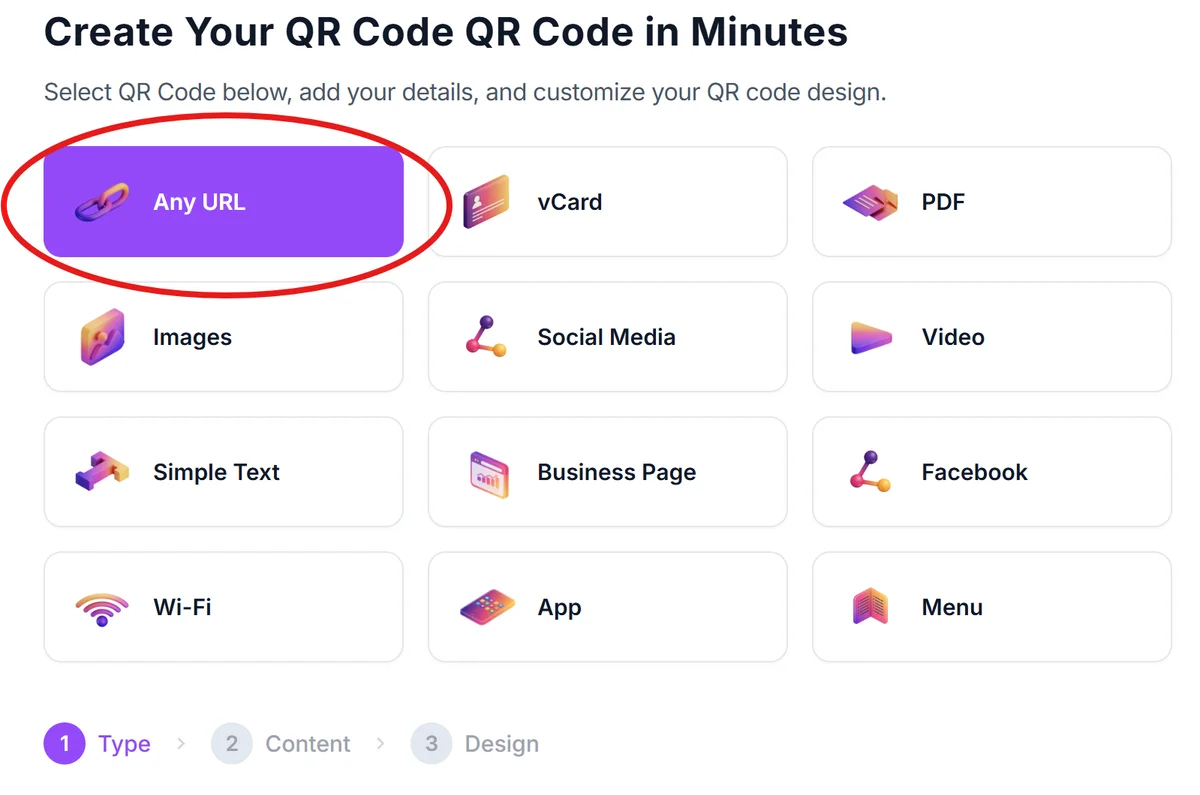
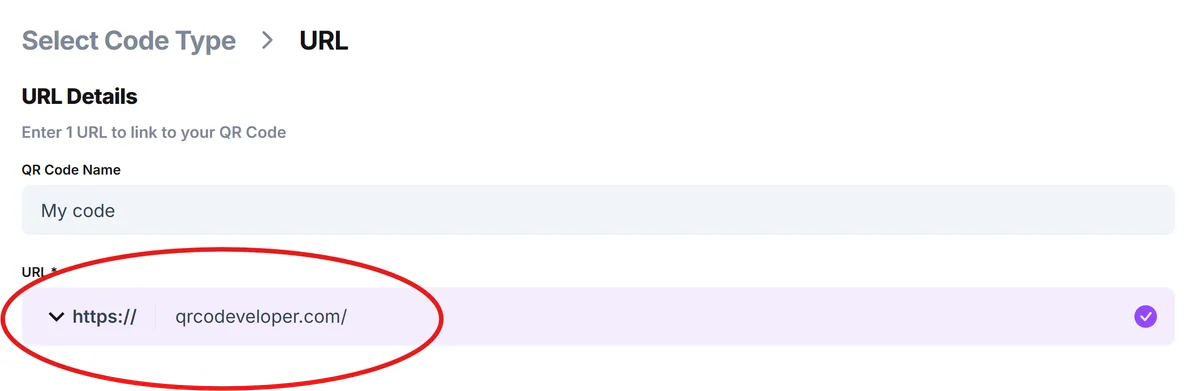
Choose your destination URL
Decide exactly where you want the scan to go. This could be a product page, a landing page built specifically for a campaign, a review form, or a loyalty signup. The more specific the destination, the better the experience for the person scanning. Avoid sending people to your homepage unless there is no better option.
Select a dynamic QR code type
For ecommerce marketing, dynamic URL QR codes are almost always the right choice. They let you change the destination link after the code is printed, track scan data, and run A/B tests on different destinations. Head to the free QR code generator and select the URL type to get started.
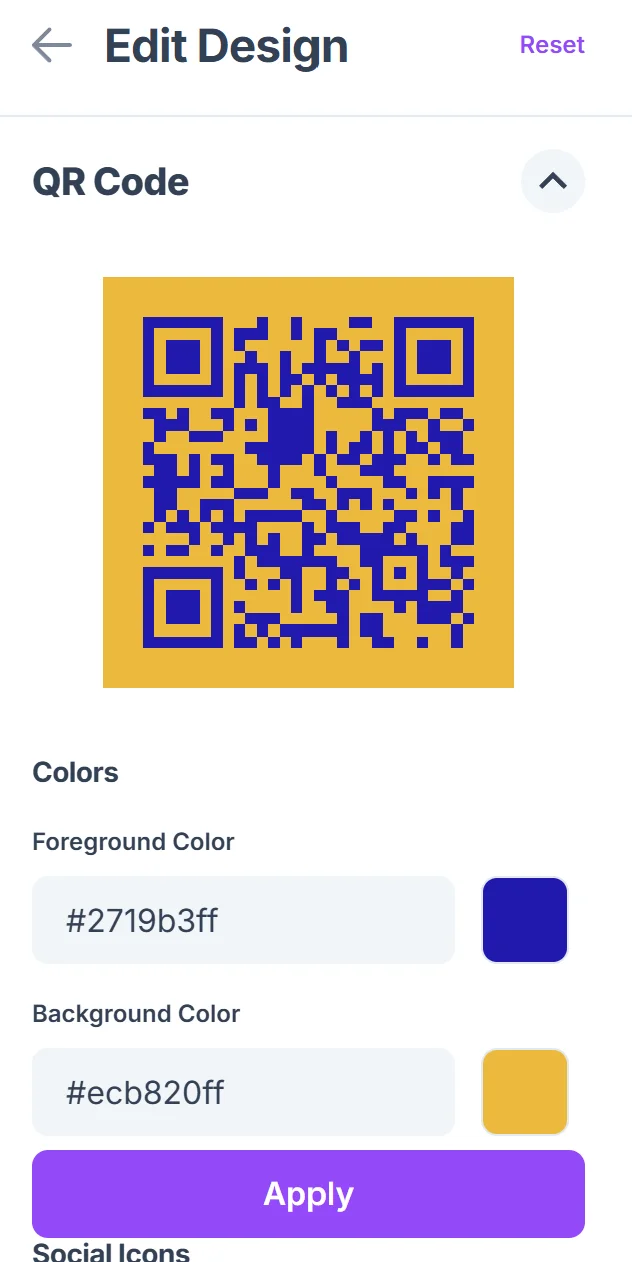
Enter your URL and customize the design
Paste in your destination URL, then customize the visual appearance of the code. Add your brand colors, include your logo in the center, and choose a style that fits your packaging or print material design. For more guidance on making your code visually effective, the QR code design tips guide covers color, contrast, and logo placement in depth. A code that matches your brand identity is more likely to be noticed and scanned than a plain black-and-white square.

Test before you print
Scan the code with at least two different phones — one iOS and one Android — before sending anything to print. Confirm that the destination loads correctly, that the page is mobile-optimized, and that any forms or buttons on the landing page work on a small screen. Printing thousands of units with a broken link is an expensive mistake.
Download in the right format for print
For physical materials, download the code as an SVG or high-resolution PNG. SVG files scale to any size without quality loss, which matters when the code will be printed large on a box or small on a hang tag. Check with your print vendor on their preferred format and minimum size requirements — most recommend at least one inch square for reliable scanning.
Monitor scan analytics and iterate
Once your materials are in circulation, log in to your QR code dashboard regularly to review scan data. Look at when scans happen (to understand the unboxing timeline), what devices are used, and how scan volume correlates with shipment batches or campaign activity. Use that data to adjust your destination pages, offers, or placement strategies over time.
Best practices for ecommerce QR codes
Getting a QR code printed is the easy part. Making sure it actually performs takes a bit more thought. These are the practices that separate the codes customers scan from the ones they ignore.
Always include a clear call to action near the code. "Scan for 10% off your next order" or "Scan to watch the setup video" tells people what they will get before they commit to scanning. A bare code with no context rarely gets used.
Keep the landing page focused. If the code lives on a packaging insert for a specific product, the page it opens should be directly relevant to that product. Dropping someone on a generic homepage after a targeted scan wastes the intent they arrived with.
Make sure the destination is fully mobile-optimized. Every person scanning a physical QR code is on a mobile device. If your product page or landing page loads slowly, has tiny text, or has buttons that are hard to tap, you will lose the scan immediately. Test on actual devices, not just a browser's mobile simulator.
Use dynamic codes for anything printed at scale. Static codes cannot be updated, so if a URL changes, a product is discontinued, or a promotion ends, you are stuck with a broken experience. Dynamic codes let you redirect the destination without touching the physical material. This is especially important for packaging with long print runs — the same principle applies when creating QR code stickers for products or fulfillment materials.
Size the code appropriately for the scanning distance. A code on a product box will typically be scanned from about a foot away, while a code on a window display or outdoor poster might be scanned from several feet. Larger scanning distances require larger codes. As a rule, the code's size should be at least one-tenth of the expected scanning distance.
Do not place codes on reflective or curved surfaces without testing. High-gloss finishes and curved bottle labels can distort how a camera reads a code. If your packaging uses these materials, test multiple times under different lighting conditions before committing to a full print run.
Frequently Asked Questions
Do customers actually scan QR codes on product packaging?
Yes, and the behavior has grown significantly since QR codes became mainstream during 2020 and 2021. Customers are now comfortable scanning codes in many contexts, especially when there is a clear reason to do so — a discount, useful product information, or a quick registration process. The key is giving people a compelling reason to scan rather than assuming the code alone is enough.
What is the difference between a static and dynamic QR code for ecommerce?
A static QR code has the destination URL baked into the code pattern itself, so it cannot be changed after creation. A dynamic QR code stores a short redirect URL in the pattern and routes scans through a server, which means you can change the destination any time without reprinting. For ecommerce, dynamic codes are almost always the better choice because product pages, promotions, and URLs change frequently. You can read more in the .
Can I track how many people scan my ecommerce QR codes?
Yes, but only with dynamic QR codes. Dynamic codes route scans through a server before redirecting the user, which allows the system to log the scan event along with data like the time, device type, and general location. Static codes have no tracking capability whatsoever. If scan analytics are important to your marketing reporting — and they should be — use dynamic codes from the start.
How small can a QR code be on product packaging?
The general minimum for reliable scanning is about one inch (2.5 cm) square, assuming the code is printed cleanly at high resolution and the scanning distance is roughly a foot. If the code will be on a very small label or tag, test it thoroughly on multiple phone models before committing to print. Some printers also have minimum resolution requirements, so confirm those specs early in the design process.
Can I use the same QR code across multiple products?
You can, but it is worth thinking through whether a single destination makes sense for all of them. If all your products share one review page or one loyalty signup URL, a single code works fine. If you want each product to link to its own page, you will need a separate code for each. The good news is that creating multiple codes takes only a few minutes per code, and managing them through a dashboard keeps things organized.
What should the landing page look like when someone scans an ecommerce QR code?
The page should load fast, look good on a phone screen, and match whatever the call to action promised. If the code said "scan for your discount," the discount code should be the first thing visible on the page — not buried below a block of marketing copy. Keep the page focused on a single action: buy now, sign up, watch the video, or claim the offer. Multiple competing calls to action on the same page tend to reduce conversion rates.
Related Guides
Ready to implement your solution?
Generate custom QR codes for your industry in seconds.
Create Free QR Code →