Celebrating Women with QR Codes

QR codes give organizers, educators, and businesses a simple, scalable way to spotlight women's stories, achievements, and causes — turning any physical space into an interactive tribute.
Key Takeaways
- QR codes let you connect printed tributes — posters, programs, displays — directly to rich digital content like videos, bios, or donation pages.
- Dynamic QR codes can be updated after printing, which is ideal for ongoing campaigns or living archives that grow over time.
- You do not need design experience to create a QR code; free generators handle the technical side in minutes.
- Placement and context matter: a short call-to-action next to the code tells people exactly what they will find when they scan.
- QR-based tributes work for Women's History Month, International Women's Day, employee recognition, memorial displays, and more.
There is no shortage of ways to honor women — award ceremonies, gallery walls, social media campaigns, or simply just being there to listen and help — but most of them stop at the surface. A framed photo or a printed bio can only carry so much. With clever usage, a QR code can a door to everything else: a video interview, a portfolio, a donation page, a digital archive of someone's life work. That layered storytelling is what makes the format genuinely useful for recognition and tribute. QR codes are also increasingly common in museums and gallery displays for exactly this reason.
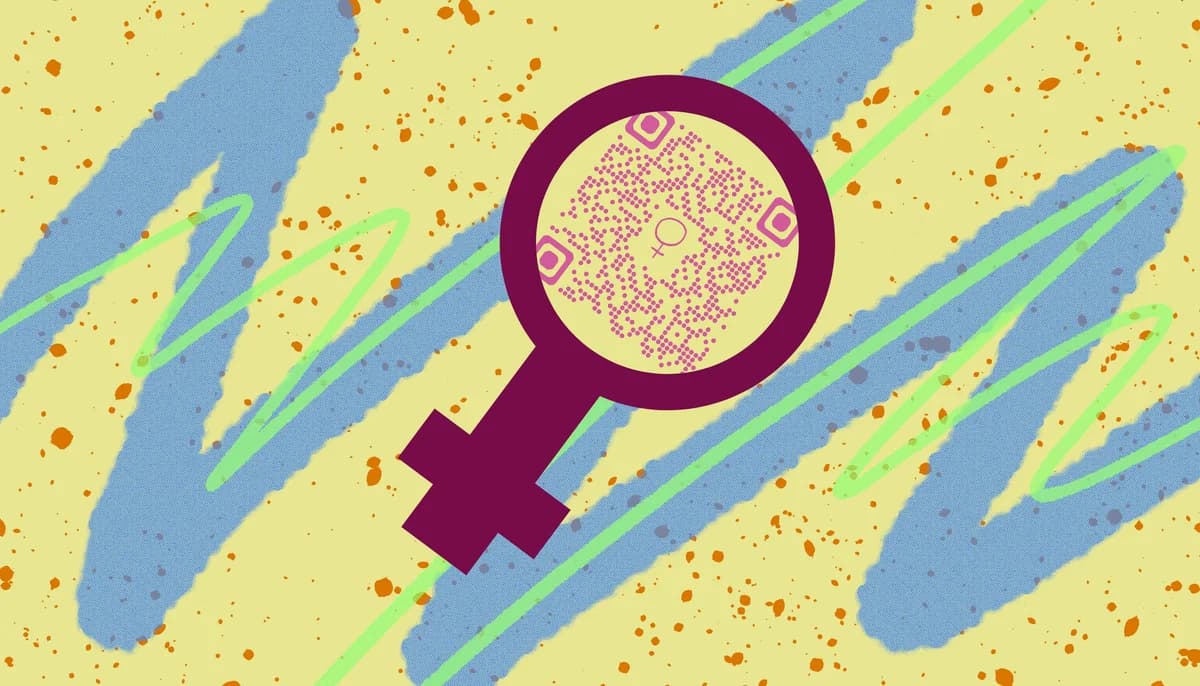
The approach works across a wide range of contexts. Schools use QR codes during Women's History Month to link hallway displays to student-produced documentary clips. Nonprofits attach them to fundraising materials so donors can read personal stories before they give. Businesses add them to internal newsletters to profile employees who rarely get the spotlight. Event organizers print them on table cards so attendees can learn about honorees before the program even starts.
The common thread is that a QR code does not replace your existing tribute — it extends it. You keep the physical or printed element that grabs attention, and the code carries the depth that a printed page simply cannot hold. If you have never built one before, the process is more straightforward than most people expect, and the result can be reused, updated, and shared long after the original event is over.
How to create a QR code tribute: step by step
The steps below will walk you through building a QR code tribute from scratch, whether you are honoring one woman or a hundred. Each step is written for someone who has not done this before, but the process is just as useful if you are scaling up an existing program.
Step 1 — Decide what the QR code will link to
Before you generate anything, get clear on the destination. The most common choices are a webpage with a written biography, a YouTube or Vimeo video, a Google Drive folder with photos and documents, a fundraising or petition page, or a social media profile. If the content does not exist yet, build it first. A QR code that links to an unfinished page — or worse, a broken one — undermines the whole tribute. Take the time to publish or finalize the destination URL before moving on.
Step 2 — Choose between a static and a dynamic QR code
A static QR code encodes the URL permanently. Once printed, it cannot be changed. A dynamic QR code stores a short redirect link, so you can update the destination any time without reprinting. For a one-time event with a fixed page, static works fine. For an ongoing campaign — say, a rotating spotlight on women in your organization — dynamic is the smarter choice. You can swap the linked content monthly without touching the printed materials. Learn more about the difference at Static vs Dynamic QR Codes.
Step 3 — Generate the QR code
Head to our free QR code generator, paste your destination URL into the URL field, and click generate. Within seconds you will have a scannable code ready to download. At this stage you can also customize the appearance — adjusting colors to match your organization's branding or the theme of your event. Keep contrast high so the code scans reliably; dark code on a light background is the safest combination.
Step 4 — Test the code before printing
This step is skipped more often than it should be, and it causes real problems. After downloading your QR code image, open your phone's camera app or a QR scanner and scan the code yourself. Confirm the link resolves to the correct page and that the page loads fully on a mobile screen. Check for typos in the URL, broken images, or slow load times. If anything feels off, fix it now — not after 500 programs have been printed.
Step 5 — Place the code with context
A QR code sitting alone on a page tells people nothing. Always pair it with a short line of text that explains the payoff — something like "Scan to watch Maria's story" or "Scan to read about this year's honorees." This single sentence dramatically increases scan rates because it removes the uncertainty of what happens next. Place the code somewhere it will be noticed: near eye level on a display, in the top third of a flyer, or on a table card where it is visible from a seated position.
Step 6 — Share and extend the campaign digitally
Once your physical materials are out in the world, bring the QR code into your digital channels too. Post the code image on Instagram with an explanation of what it links to, embed it in an email newsletter, or include it in a digital event program. A QR code is just an image file, so it travels anywhere a JPEG or PNG does. This dual approach — physical and digital — reaches people who attended your event and people who did not.
Step 7 — Track engagement and follow up
If you used a dynamic QR code, your generator dashboard will show you how many times the code was scanned, when, and from what type of device. Use that data to gauge interest and plan follow-up content. If a particular honoree's code got significantly more scans than others, that is a signal worth paying attention to. You might feature that story in a follow-up email or expand it into a longer article or video.
Tips for making your tribute memorable
The technical steps get you a working QR code, but these practical tips help make the whole tribute land the way you intend it to.
Keep the linked content mobile-first. Most people will scan with a phone, so whatever page you link to should load fast and look good on a small screen. Avoid PDFs with tiny text or sites that require Flash or desktop-only navigation.
Use a consistent design across all your QR codes in a campaign. If you are honoring multiple women, each code can have its own color or icon while still following a shared visual style. Consistency signals that the codes are part of an intentional program, not an afterthought.
Think about longevity. A tribute built for Women's History Month in March can easily be repurposed for International Women's Day, a company anniversary, or a year-end recap. Design the linked content with reuse in mind — avoid hardcoding specific event dates into the destination page if you want to update it later.
Involve the honoree when possible. Asking someone to record a short video message, contribute a quote, or approve the content of the linked page adds authenticity that no amount of polished copy can replicate. People connect with first-person voices far more than third-person descriptions.
Print size matters. The minimum recommended size for a QR code in print is about 2 cm × 2 cm (roughly 0.8 inches square). Anything smaller risks failing to scan, especially in lower light. If you are printing on a banner or poster, scale up proportionally. You can read more about print sizing in our guide to QR Code Design Tips.
Add an expiration notice if the content is time-sensitive. If the linked page will only be live for a set period — such as an event-specific video that will be taken down — add a small note near the code letting people know when it expires. That way, someone who encounters the code six months later is not left confused by a broken link.
Frequently Asked Questions
Do I need a paid QR code tool to do this?
Not for a basic tribute. Free generators, including the one at QR Code Developer, let you create and download a static QR code at no cost. If you want dynamic codes with scan tracking and the ability to update URLs after printing, a paid plan is worth considering — but it is not a requirement to get started.
What kind of content works best for a women's tribute QR code?
Short videos tend to get the most engagement, especially if they feature the honoree speaking directly to the viewer. Written bios work well when they are concise and well-designed for mobile. Photo galleries and audio recordings are also effective. Whatever format you choose, keep the content focused — a single strong story beats a sprawling archive that visitors do not know how to navigate.
Can I use QR codes for a women's tribute at a small, informal event?
Absolutely. A QR code on a handwritten table sign at a small gathering is just as valid as one printed on a conference banner. The scale of the event does not change the value of the tool. Even a simple code linking to a Google Docs bio or a personal website adds a layer of depth that a printed card alone cannot offer.
How do I make sure people actually scan the code?
The biggest driver of scan rates is clear context. Tell people what they will get before they decide to scan. A vague code with no explanation gets ignored; a code labeled "Scan to hear Dr. Amara's story in her own words" gives people a reason to take out their phone. Placement matters too — a code at eye level in a high-traffic spot will always outperform one tucked in a corner.
Is there a way to make the QR code itself look more celebratory?
Yes. Most QR code generators let you customize colors, add a logo or icon in the center, and round the corners of the code's modules for a softer look. You can use colors that match your event theme or the honoree's favorite palette, as long as the contrast between the code and its background stays high enough to scan reliably. Avoid placing the code on a busy patterned background, which can confuse the scanner.
Related Guides
Ready to create your QR code?
Generate custom QR codes in seconds - free and easy to use.
Create Free QR Code →