Can a QR Code Store a Video?


There’s a good chance you’ve scanned a QR code recently. Maybe to read a menu, open a form, or even make a payment. But lately, more and more brands have started using QR codes to share videos. QR codes are all-arounders. From product tutorials to marketing campaigns, they are a crucial tool used for various use cases. Which leads us to the question:
Can a QR code actually store a video?
Let’s unpack that, because the answer is both a no and a yes.
In this post, I’ll break down how QR codes and videos work together, what the technical limits are, and how brands are using this combo brilliantly.
Why QR Codes Can’t Literally Store Video
A QR code can store about 3 kilobytes of data. That’s about the size of a tiny emoji image or a few hundred characters of text. To put that into perspective, not even close to the size of a basic 10-second video. It doesn’t matter how much it’s compressed, it's going to be 100 to 500 kilobytes at minimum. For example, even a low-resolution 1-minute video can easily be 5MB or more.
So, how do we store a video in a QR code, then?
What QR codes can do brilliantly is link to a video that’s hosted online. It can be on YouTube, Vimeo, Google Drive, or even your own website. And when done well, that feels just as instant. Someone scans the code, and they’re directly watching your video. No typing. No friction.
So the better question isn’t “Can QR codes store video?”
It’s “Can they help people access video content quicker?” And the answer to that is a yes.
Why use QR Codes to share a video?
Think about how we consume content today.
We’re flooded with ads, links, and recommendations. That’s exactly where QR codes shine. They give control back to the user. If I scan a QR code, I’m telling you: “Yes, I want to see more.” That’s permission. That’s the intent.
And our attention is also fleeting. We don’t want to go searching for information. We want access to media instantly, and only if we’re actually interested. QR codes work instantly. Cutting out the typing, searching part, they directly take the user to the video.
Checking all the right boxes, it’s a great tool for marketers. A product demo, an unboxing experience, a message from the founder—these all make so much more sense as a video. And you don’t need to cram that into your packaging or flyer. You just need a scannable square.
It’s no surprise that marketers see up to 4x higher engagement rates when people arrive via QR compared to a regular link or homepage.
How are brands using QR codes and videos together?
Hershey’s did something adorable last Christmas. They printed QR codes on chocolate gift boxes that let people record personal video messages. So when your loved one opened the box, they could scan and see a video message just for them. The chocolate was sweet, but the video? That’s what made it unforgettable.
Click here to see the video that explains how it actually worked.
But Why Not Just Use a Link? Or NFC? Or AR?
Sure, you could just print a short link. But will people type it? Will they get it right? Do they even care enough to pull up their keyboard?
The magic of a QR code is how little effort it takes. Just open your camera and scan. That’s it.
Now, what about NFC? That’s the tap-to-open tech in your credit card or phone. It’s cool, no doubt. But it only works if your phone supports it. And it’s not visual. People won’t know something is there to tap unless you tell them. Also, NFC tags cost more to manufacture and can’t be printed as easily as QR codes.
And AR (Augmented Reality)? Super immersive, and very cool in exhibitions or high-budget tech campaigns. But it usually requires an app, lots of development, and your audience has to know how to use it. For most people, it’s just too much effort for daily use.
That’s why QR codes win.
How to Create a Video QR Code
It is really simple to create a video QR code. You just need one tool, QR Code Developer, and you’re good to go.
Here’s how it works:
1. Go to the QR code developer and click on “Create QR code”.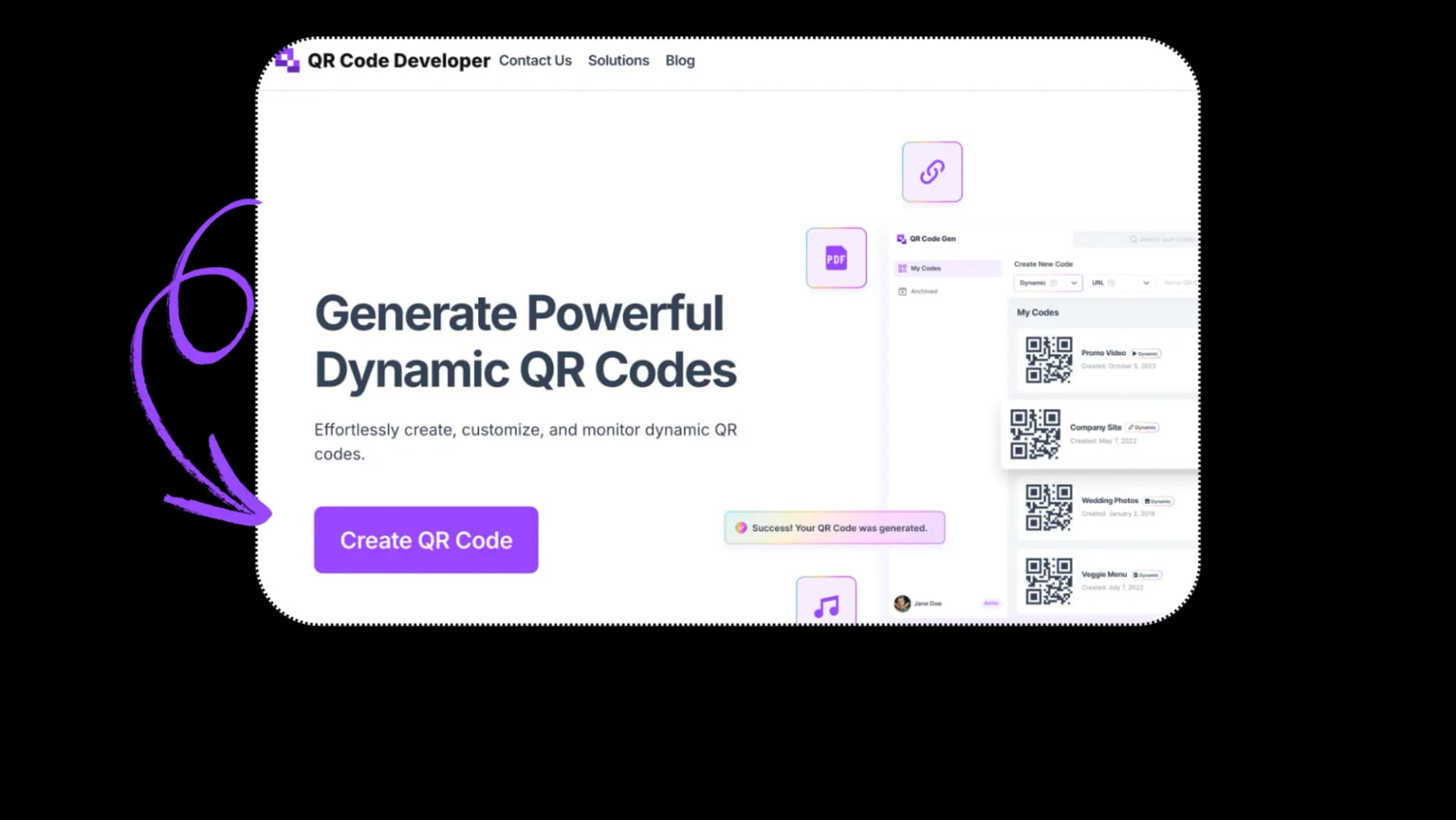
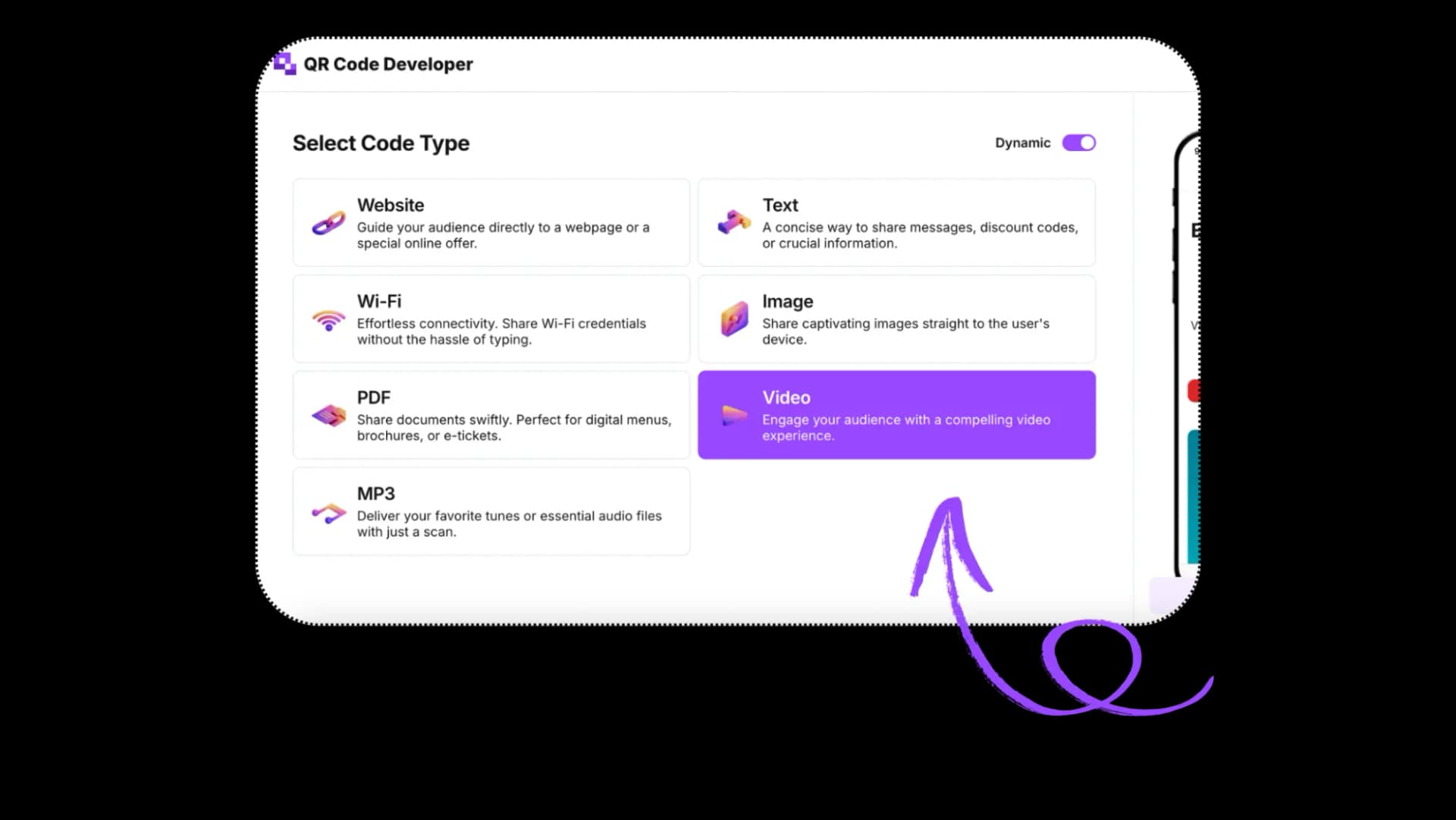
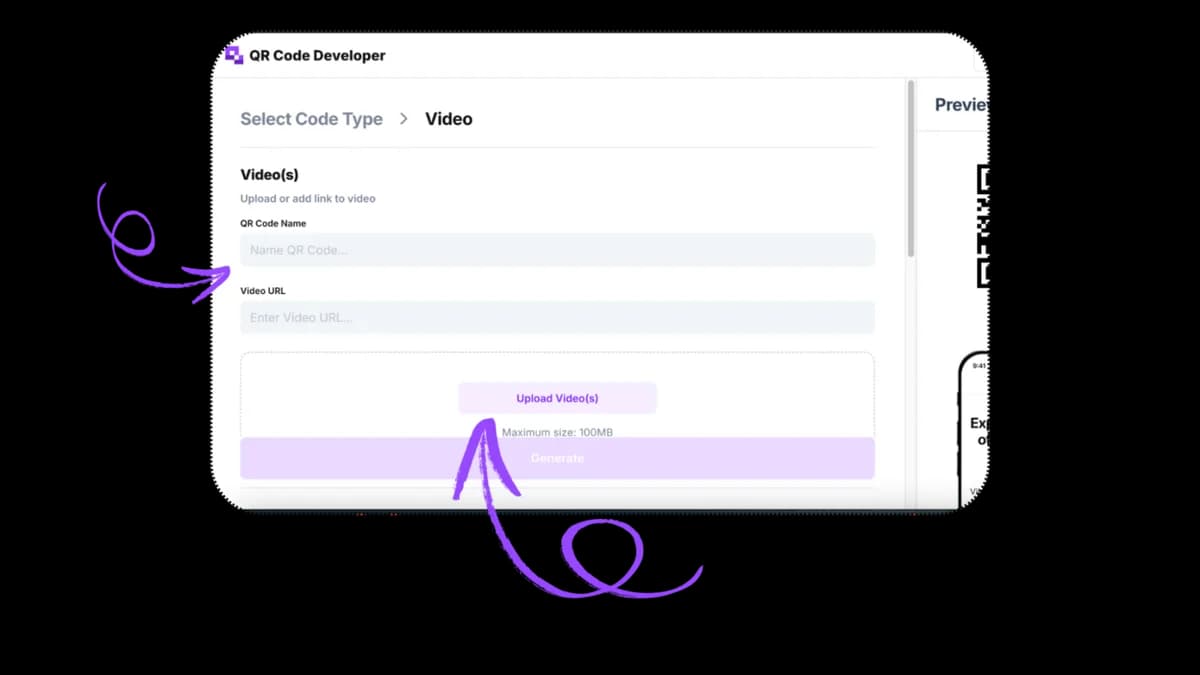
(You can skip uploading if you already have a link to your video. Just paste the link in the URL bar and you're good to go.)
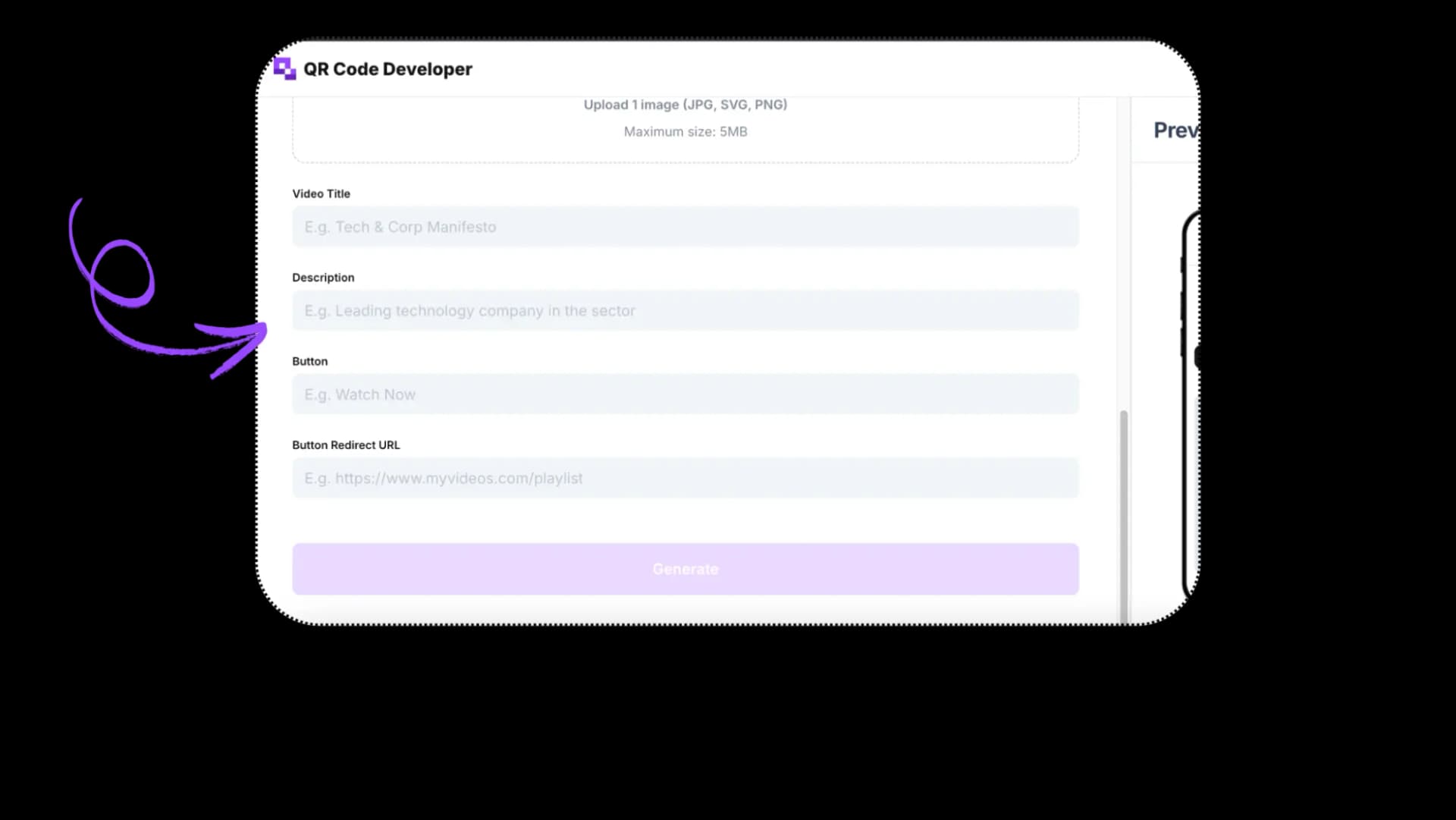
4. Scroll down and fill in other options like video title and description, etc.
5. Hover to the right of the screen and click on the pencil Icon to customize the QR code.
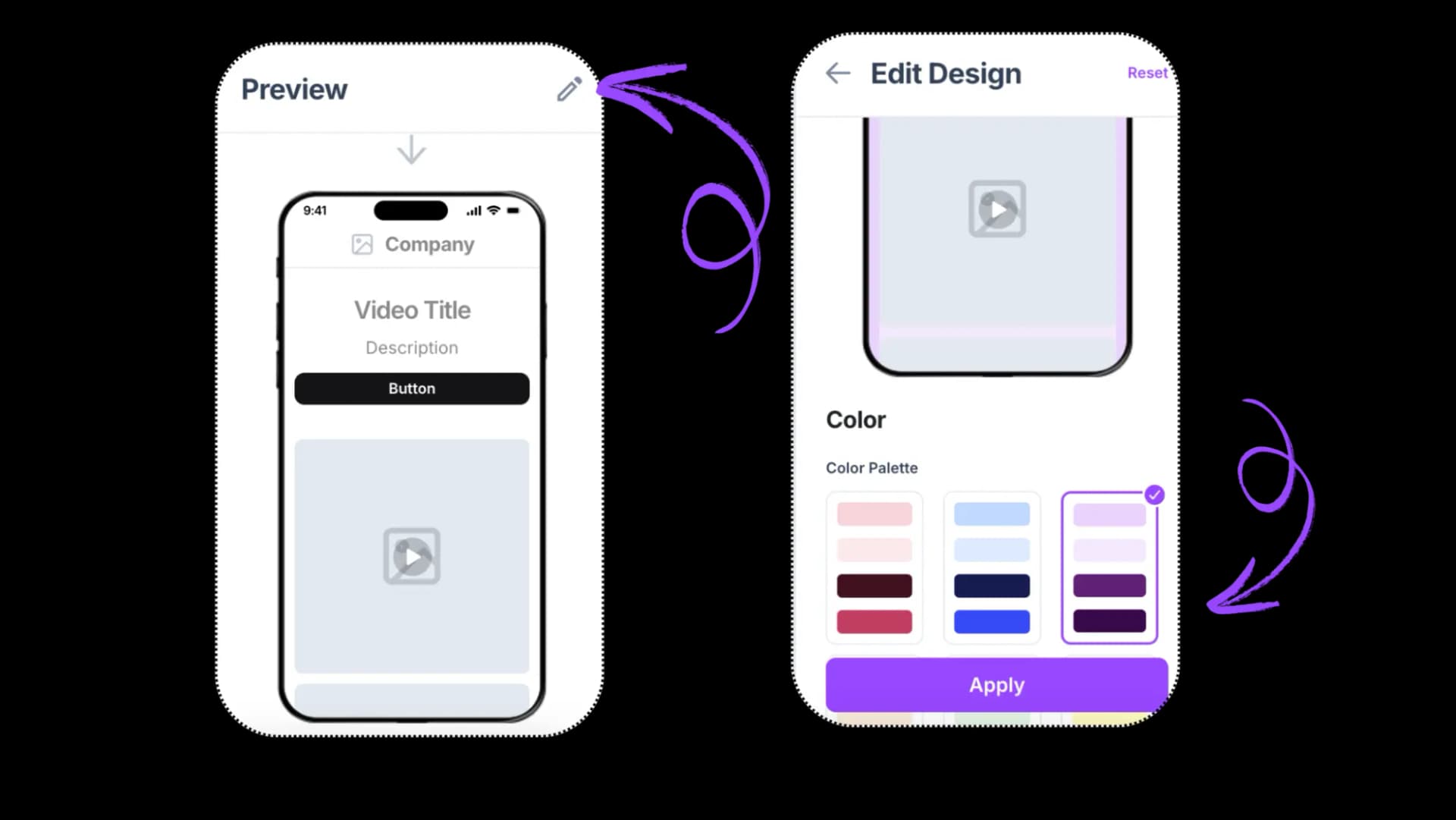
6. Once done, click on generate, and your QR code with video is ready.
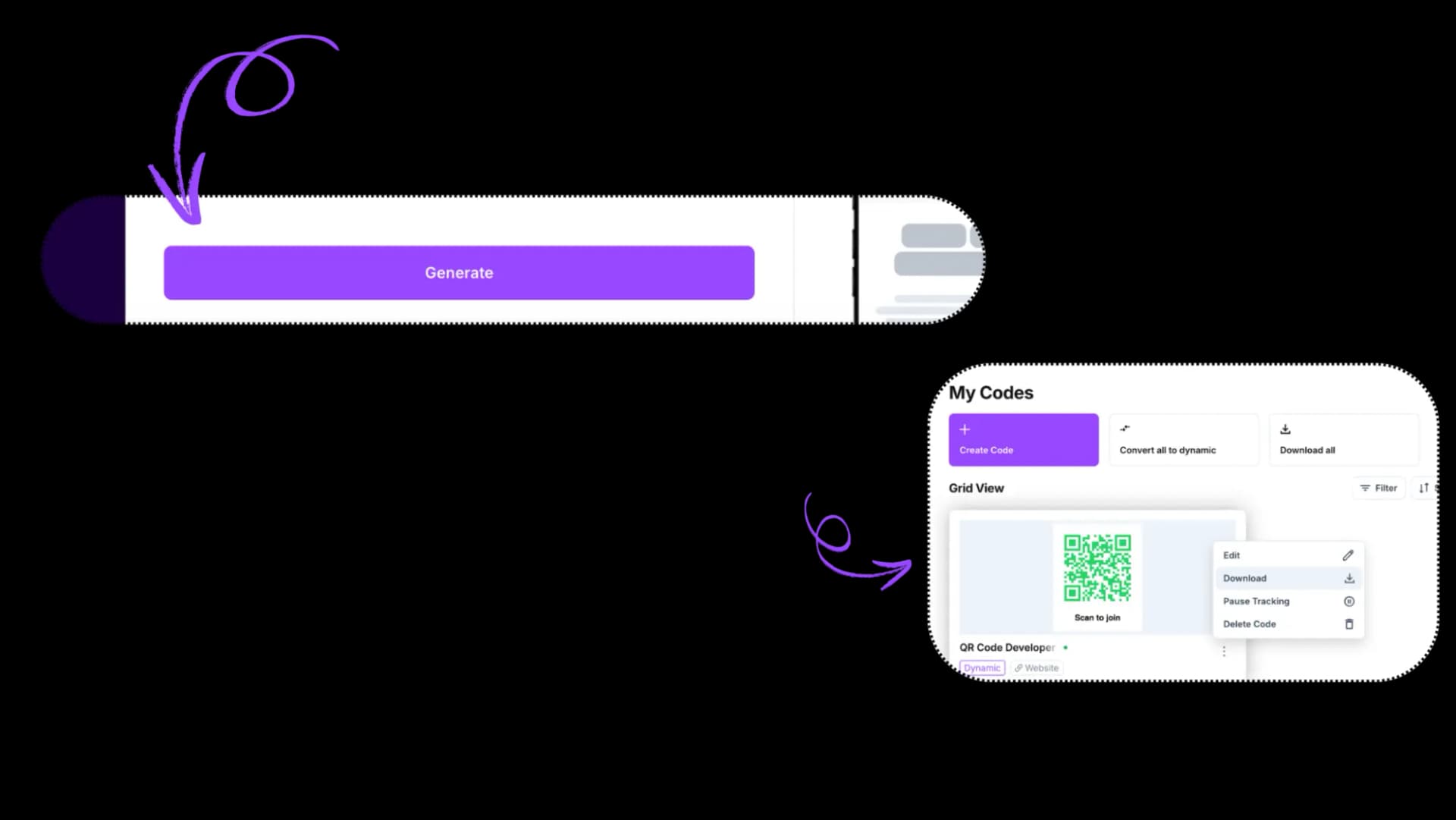
You get analytics, so you can see how many people scanned, when, and from where. Click on
If you change your mind later? No problem. You can swap out the video behind the same QR code if you’re using a dynamic one. With the dynamic feature, you don’t only get access to the scan analytics but also get the option to edit your content without changing the QR code.
So, Who Should Be Using This?
Honestly? Anyone who wants to make their content more interactive.
- Product companies want to show customers how to use their products in real time.
- Marketers who want to drive higher engagement from offline campaigns.
- Teachers who want to make lessons more interesting.
- Event planners who want to personalize invites or tickets.
- Creators who want to share more than just a static business card.
QR codes make it easy to add a digital layer to anything physical. And when that layer is a video? It just feels more human, more real.
Final Thoughts
No, QR codes can’t store full videos. But they were never meant to.
What they can do is deliver your video—your message, your brand, your idea—at the exact right moment, with zero friction. And that’s what matters.
QR codes + video is a combination that works, whether you’re a teacher, a founder, a content creator, or someone who just wants to make their message more memorable.
And if you’re ready to try it? We made a QR Code Developer for exactly this.
No learning curve, no tech skills needed. Just upload, scan, and connect.
Ready to create your QR code?
Generate custom QR codes in seconds - free and easy to use.
Create Free QR Code →