Check It Out! How Qr Codes Can Be Used in Libraries

Most of us are familiar with libraries, they're those buildings full of resources like books, movies, computers, and more. Whether it’s the local library or a smaller one in a school, many of us have fond memories of going to the library and taking advantage of its many materials, all for free too!
But did you know that you use QR codes in libraries? In all sorts of ways too! Many are already doing so. In this piece, I will go over how libraries can incorporate QR codes into the guest experience to make their lives easier. In addition, I will discuss the various services that libraries can provide, as well as a step-by-step guide for creating a code that links to an online catalog.
So let’s get started! Make sure you have your library card!
How can you use QR codes in libraries?
QR codes can be used just about anywhere in a library you would want patrons to have additional information or to access essential services. Some examples include:
- Online catalog
- General information on the building
- Donation web page
- Map and floor plan
- Printer access
- Meeting room sign-up
- Late fee payment
- Wifi login
- Local events
- Library card sign-up
- Item request
- 3D Printing
And more!
Some libraries may even use QR codes on each piece of media they hold as part of the check-in process, though traditional will work just fine for this.
The many services libraries can provide
In the modern age, libraries provide much more than book check-out. These buildings often become pillars of the communities they reside in with the amount of services they provide, along with events and crucial resources.
It’s not uncommon today to see libraries offer basic how-to classes, music lessons, instrument rentals, passport services, meeting rooms, and more.
In addition to books, libraries can allow patrons to check out:
- DVDs
- Blu Rays
- VHS tapes
- Video games
- Board games
- Classroom resources (Models, maps, etc.)
- Musical instruments
- Tools
- Computer equipment
- Gardening supplies
And much more!
How to create a QR code for a library catalog
Step 1: Copy the URL of your online catalog.

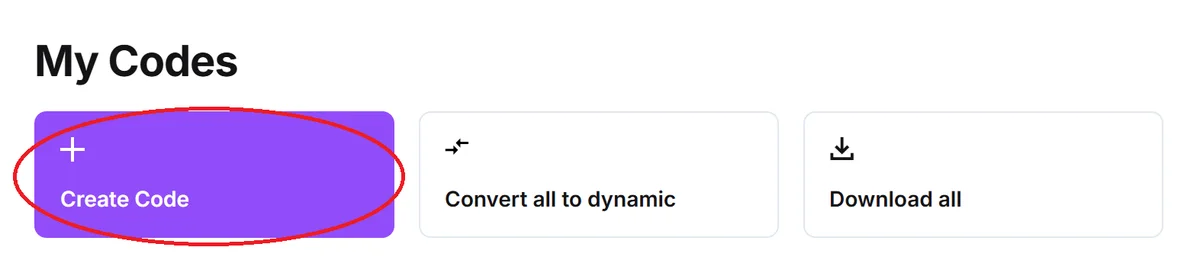
Step 2: On QR Code Developer, select Create Code.
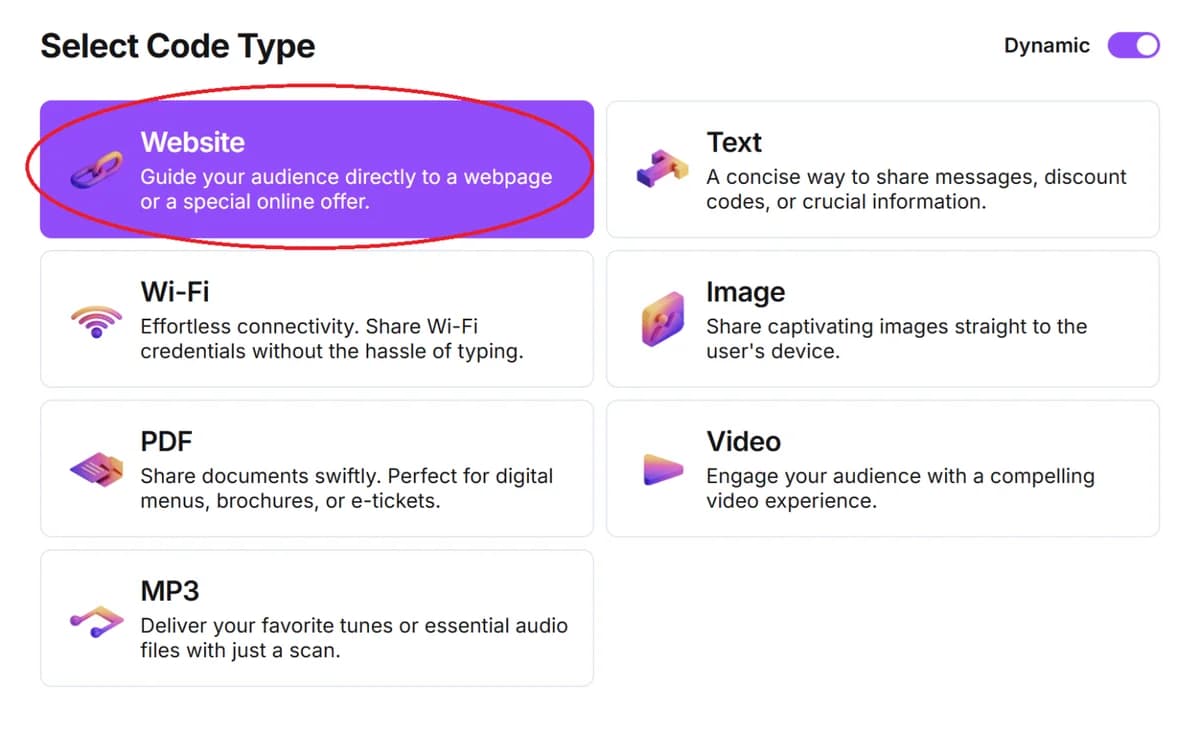
Step 3: From the options, click on Website.
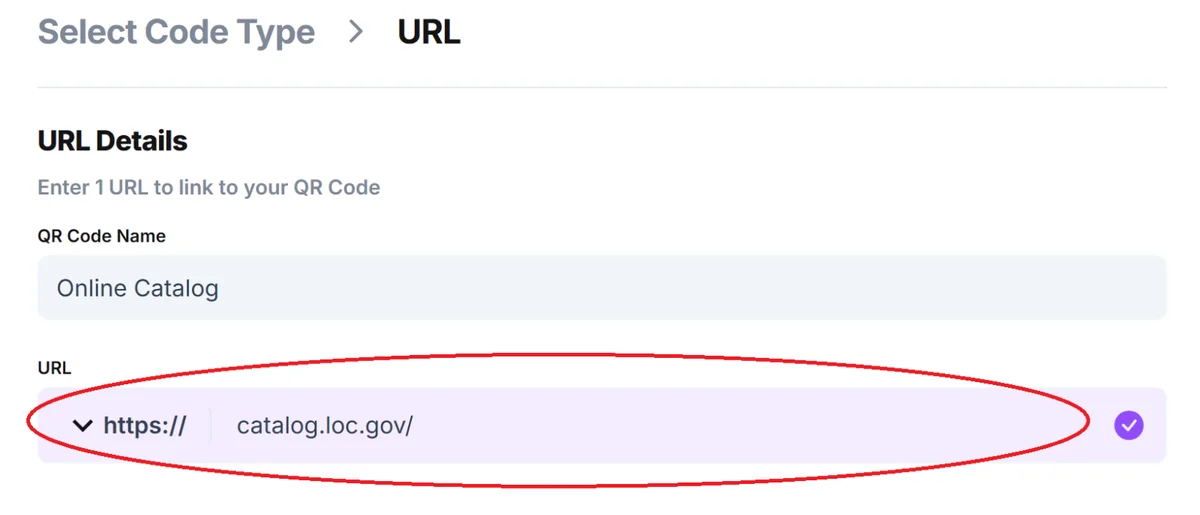
Step 4: Name your code and paste the URL into the bar.
Optional: Click on the pencil icon next to Preview to further customize the look of your code.
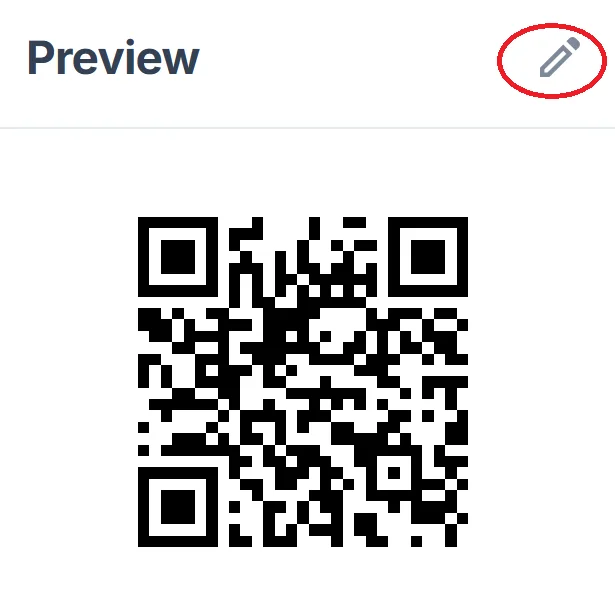
Step 5: Click Generate.
Step 6: Test the code on multiple devices.
General tips
- Know your audience: If you’re certain that most of your patrons don’t know how to use QR codes or just don’t like them, then don’t use them.
- Keep instructions clear: Provide clear instructions on how to use and scan QR codes, as well as where the codes will redirect to.
- Place codes on a flat surface: To make sure that codes are still scannable, only put them on flat surfaces, like walls, tables, posters, or fliers.
- Use high contrast: If using custom colors on a code, make sure that the colors are distinct enough from each other to be read as a QR code.
- Make sure codes are visible: Don’t place codes where patrons are unlikely to see them.
- Only use codes when necessary: If an alternative exists that’s easier for all parties involved, use that.
- Test on multiple devices: Make sure your codes work whether scanned on an Android device, an iPhone, a tablet, or another device.
Monitoring Code Usage
With the tools available on QR Code Developer, as well as other code generators, you can monitor the usage of any code you create. This can include how many times a code has been scanned, where it has been scanned, on what device, using what browser, and more. With these tools, you can figure out which codes are reaching the most people and where to focus any advertising efforts.
With QRCodeveloper you can monitor:
- Number of scans
- Number of scans by operating system
- Scans by browser
- Scans by country
- Scans by city
- Scans by language
- Unique scans
Conclusion
Libraries can offer so much to the communities in which they reside. From books to movies to video games and even tools and lessons. Libraries truly are a pillar of modern society. In a way, both libraries and QR codes exist to make people's lives easier, albeit in different ways.
By using QR codes in libraries, you can make the lives of yourself and your patrons so much easier and allow the facility to provide even more assistance. Get started now using the free tools available from QR Code Developer and see just how easy it is to integrate QR codes just about anywhere!
Ready to create your QR code?
Generate custom QR codes in seconds - free and easy to use.
Create Free QR Code →